

In this Divi 5 video, I show you how to use the Divi 5 Canvases feature.

Does anyone have experience with SiteKrafter Simple Color Management and the recent DIVI 5 HSL Color Management system? Are they in conflict ? Does SK complement HSL? Should you develop with just one per site? Enquiring minds need from the gurus here!
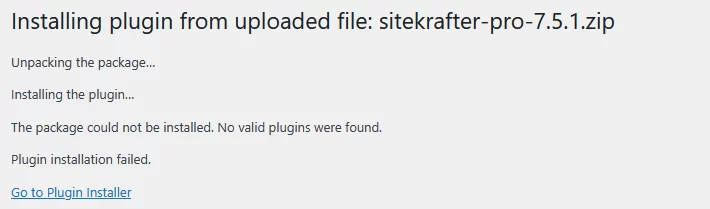
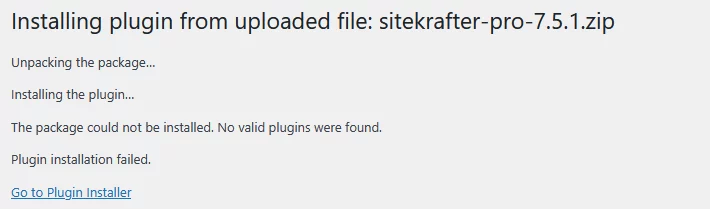
sitekrafter-pro-7.5.1.zip
where can i find a good ZIP file?
The Divi 5 canvas is a workspace detached from your main post content. You can use them as staging areas for design updates, a place to organize off-canvas components, or simply as a safe space to experiment with new ideas.
You can create global canvases to build website-level off-canvas menus and popups, as well as local canvases for specific posts.
-
Buy [Divi Design System](<https://diviuniversity.com/product/krafter-a >) here!
-
Buy the Divi Mastery Course for ONLY $27
In this video, I show you how to create reusable components in Divi 5 using a proper design system workflow with Krafter. Instead of manually fixing spacing, colours, and responsiveness on every page, you’ll learn how to build components that stay perfectly consistent across all screen sizes.
This method uses:
- Fluid spacing scales
- Token-based colour systems
- Reusable components
If you want your Divi websites to look professional, scalable, and easy to maintain, this is the exact system I use on real projects.

I have learned from Mak's video that you can apply autogrid to a content row. I have been able to use images as in his video as well as blub modules. I have not been able to do so with group modules. Has anyone tried that and if so, were you able to get autogrid to work with them?
In this video, I show the correct way to design using a spacing scale, so your layouts stay consistent, fluid, and responsive across all screen sizes.
Most websites break on mobile because spacing is guessed using random padding values. Instead, I demonstrate a proper spacing system where spacing and typography scale fluidly with the viewport — no media-query chaos.
I use Krafter to build this system, ensuring:
- Consistent vertical rhythm
- Fluid spacing that adapts automatically
- Responsive typography that feels natural
- A scalable design system that works on real projects
This approach removes guesswork and helps you design websites that look intentional, professional, and future-proof.
If you care about clean layouts, proper design systems, and responsive design done right, this method will completely change how you build websites.
Watch how I made a membership website from scratch, step by step.

Hey MAK,
I have some questions regarding Krafter?
- Can you include Advanced editing menu to Krafter? At the moment it is only for Design menu.
- Does Krafter works with WooCommerce plugin?
- Can we apply Krafter to templates like blog posts, pages etc.
Cheers,

I'm loving your tutorials. They;re a great help with getting up to speed with Divi5, and I love Krafter. However, I am very frustrated because, even though I have paid you for Krafter and Divi 5 Mastery, my dashboard doesn't allow me to download Krafter. I have the original version but a lot has been added since then.
Paul