

Divi 5 can now build an entire website from a prompt—but is the result actually ready for professional client work?
Watch the video here https://youtu.be/sTK0RDl8fAA
[Get Divi AI Agents](<https://diviuniversity.com/divi-ai Get KrafterPRO>)
[Get KrafterPRO](<https://diviuniversity.com/divi-ai Get KrafterPRO>)
In this video, I put the new Divi AI Agent through a real-world test. I ask it to design a complete fitness website, recreate a pricing section from a screenshot and adapt the design to an existing brand.
The initial result looks impressive. But when I inspect what’s happening behind the design, I discover an important problem: the AI is using hard-coded sizes and values instead of following the website’s design system.
That’s where the AI-first workflow becomes much more powerful. I’ll show you how
I use KrafterPRO to give Divi AI the rules, presets, variables and reusable commands it needs to build a more consistent, responsive and maintainable website.
In this video, you’ll discover:
✅ How to build a complete Divi 5 page from one detailed prompt
✅ Why short, vague prompts produce weaker results
✅ How Divi AI recreates a section from a screenshot
✅ The difference between Build Mode and Ask Mode
✅ Why an attractive AI-generated design can still be poorly structured
✅ How to make Divi AI use your existing presets and variables
✅ How KrafterPRO sends design-system rules directly to Divi AI
✅ How to audit the finished page for hard-coded values
✅ Why this AI-first workflow could save designers hours of work
The big lesson is simple: AI is only as effective as the rules and information you give it. Without a design system, it can create something that looks good—but may be inconsistent and difficult to maintain.
Give it the right ingredients, and it can produce responsive pages that follow your branding from the beginning.

Hi Mak,
I was on your call this morning. Great stuff! Thank you for doing this. Please let me know if this is the correct spot to submit requests for Krafter Pro. If not, let me know where to post requests.
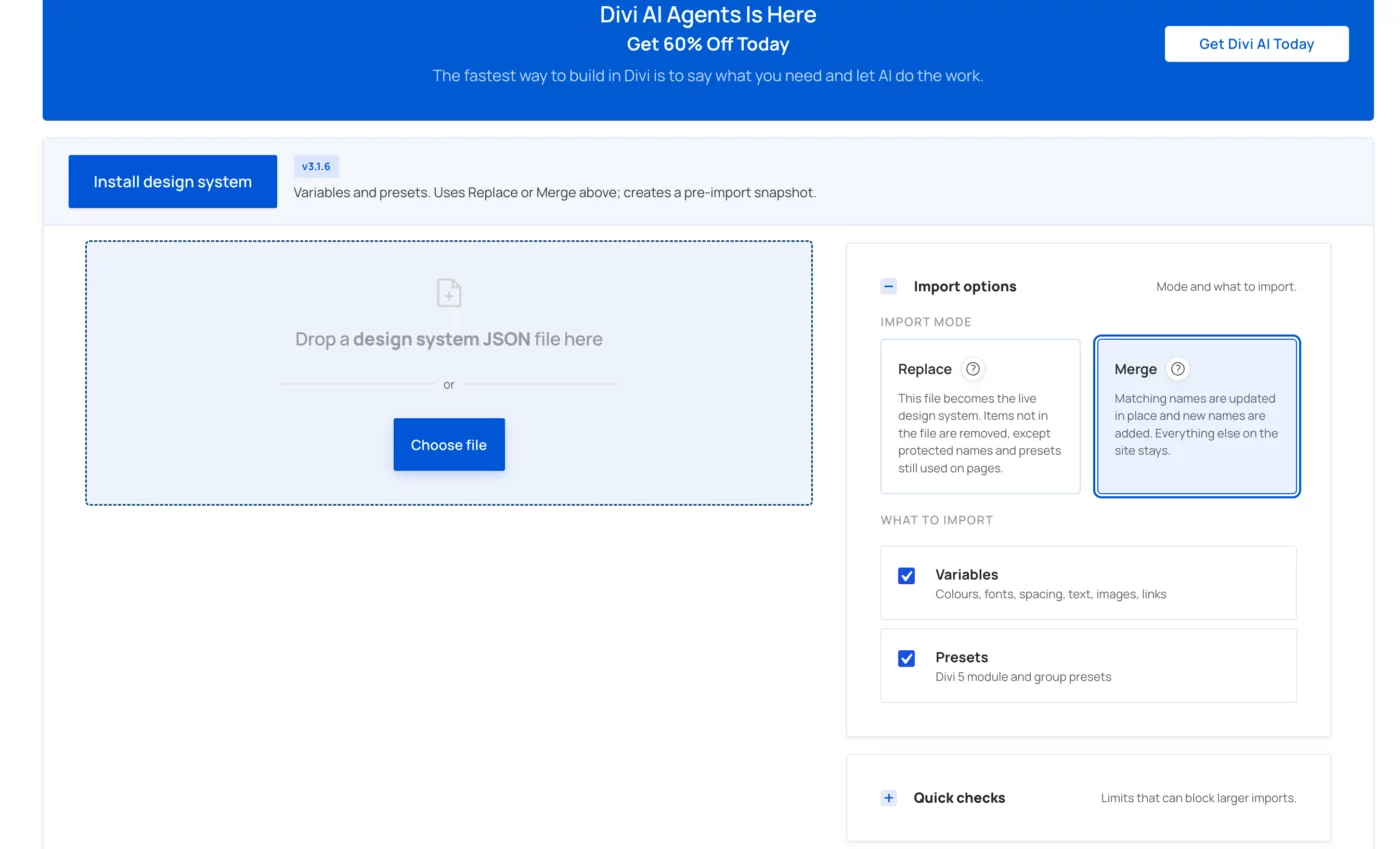
This note is showing "Design System Update"...it displays the note "Version 3.1.6 is available," and next to this it displays (this site is on 3.1.6).
Since the site is already running the current version, this notification seems irrelevant. Additionally, "Skip This Update" can't be done because that update is already applied.
Can you set it up so that if the version numbers are the same, this notification is not displayed?
Thank you! I appreciate all that you are doing for us.


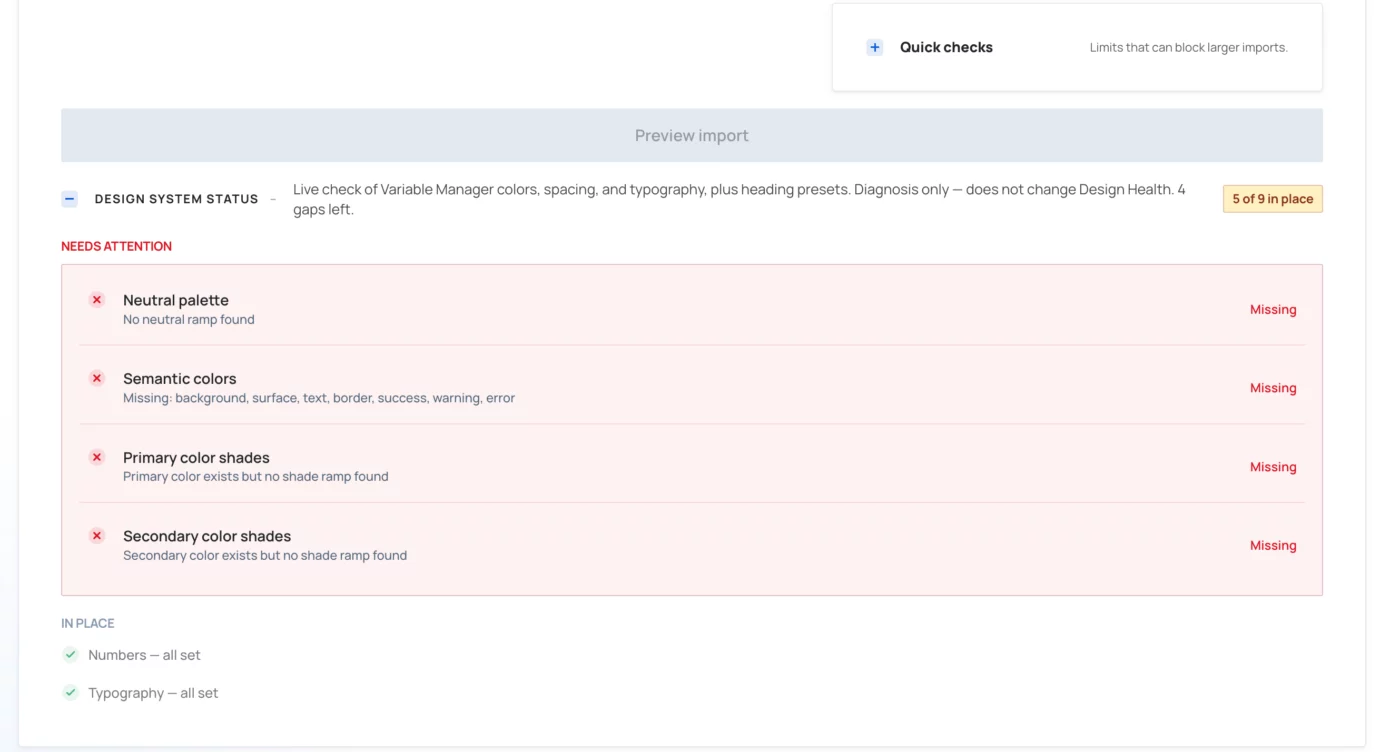
Sorry, I'm confused about updating Krafter Pro plugin. After updating plugin, I saw message "Design system update - Version 3.1.6 is available (this site is on 0)."
So I clicked update. See my two attachments. Do I need to take any action regarding the 4 red errors?
Coincidentally, on two other websites, where I updated, my primary and secondary colors got hijacked by the update and now I have primary Purple #73caed and teal secondary #00a2b8. Plus fonts, became Inter (headings) and Manrope (body). Is there a video that shows how to safely update? Thankfully, these were dev sites and not live. It would be bad if

What would the steps to have Divi-AI simply create a new section in the middle of a Divi-5 page (not created withDivi-AI)? Thanks!

I want to create a blurb and I know Mak had a tutorial on it. Where do I find it. Is there a search for his videos

I've reached out to Divi University and Mak - they helped me receive the promised files as per the Divi AI affiliate purchase. Thanks again - DU/Mak! Looking forward to growing together. Cheers!

Hello, I purchased Krafter Lifetime. I though I was upgraded to krafter pro. Can anyone conform if krafter lifetime member
Hi Mak - in your video about Divi AI/Agents, you mentioned that if we buy through your affiliate link, there will be some additional bonus files? I have purchased on your affiliate link. How do I get those files or additional bonuses? Thanks!

Oliver I had requested help in this Community post:
https://diviuniversity.com/portal/space/krafterpro-designers/post/noticing-some-issues-in-krafterpro-can
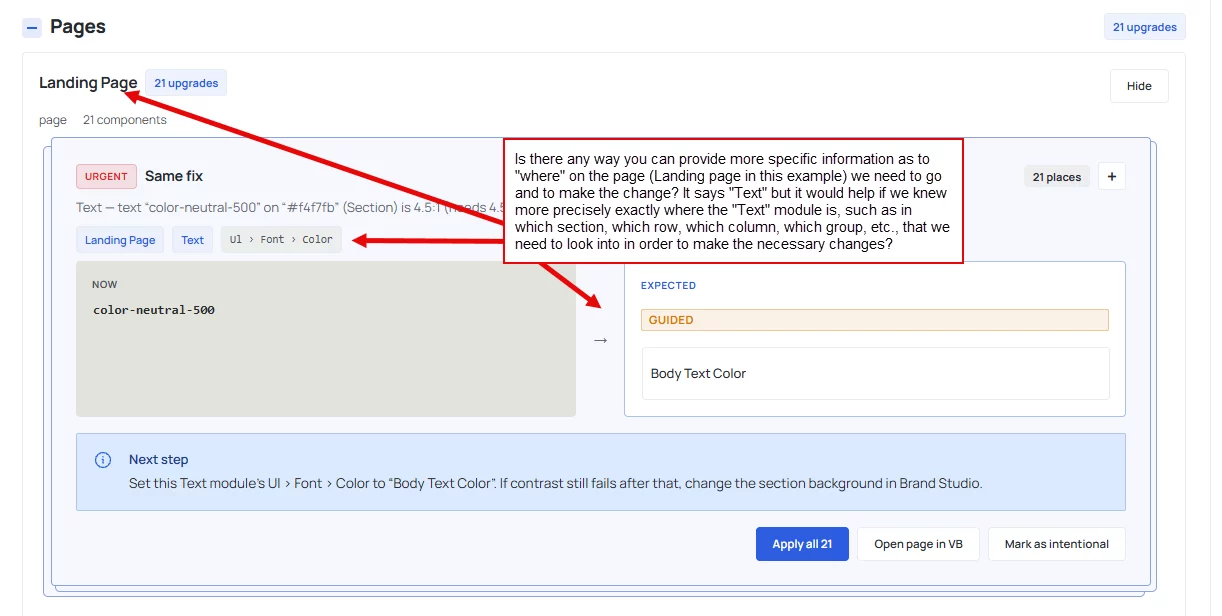
And I'm currently using KraferPro 4.2.12 yet I'm still not seeing any fix regarding this. See my new and attached screenshot. Help mak mak

Do you have a video or written document on how to set up a button with a blue background that changes to red when I hover over it? Or any two colors will do. I have tried to enable hover on the top next to the Advanced label, but when I change the color, it changes the normal color to the newly selected one😞, and there is no hover effect.

And also the new Fluent Notify plugin, it would be amazing to have that in divi university portal and it will also let me see how it's supposed to work and adjust mines accordingly :) Thanks