
Am I the one and Only
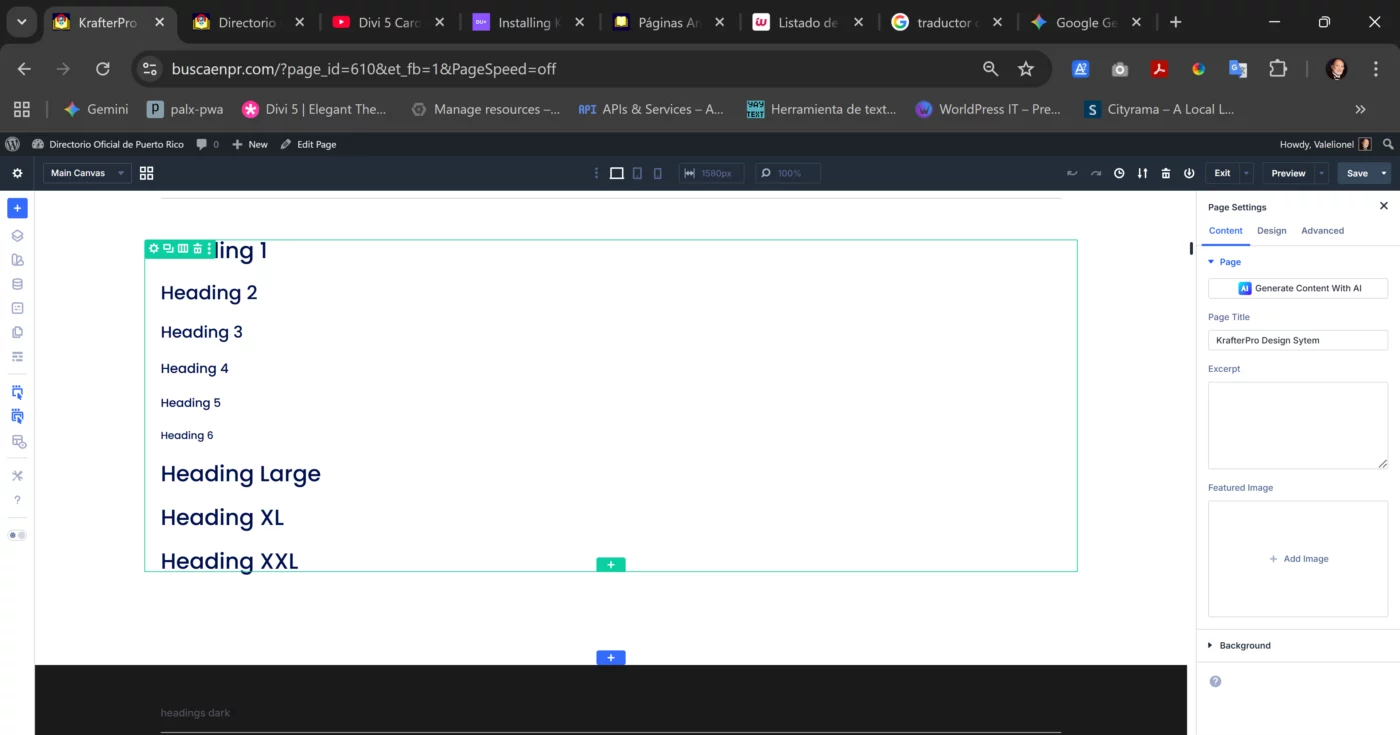
I installed the SiteKrafterPRO and it is working more or less but when trying to apply Heading L, XL, and XXL it does not change. I took a look to the variable manager and noticed that there is no change either. Can someone help me cause it seems this is a one man show and Mak takes too long to answer. I selected tis topic cause it is a required field and there is no KrafterPRO topic. Besides this; is there a link to download the latest version? because I cannot find it.

Hi Lionel. Let me take a look and get back to you. Have you cleared the cache?

Mak Yes, Since this is going to be a Directory and I have Geodirectory I deactivated all plugins

Hi Lionel, how are you applying the preset? Select heading module, then select the preset at the top of the module to apply it?
With regards the variable manager, I don't understand what you are expecting to see? The variable manager is used to set variables for the builder to use, these are static values, not variable values. These values will be set when importing Krafter Pro into the Divi library and the Import presets checkbox is marked.
Steve Seddon I add the heading, select the module and select the preset as you say. Regarding the variable manager I open the SiteKrafterPro page and noticed that there is no change as you can see in the image. Is not supposed to see changes as in H1-H6?
Lionel Valentin the variable manager is not shown in your image, just the page settings on the right. On my image you can see the variable manager on the left, with the preset manager underneath and a heading module design settings with heading 1 light preset applied.
Thanks, but I have no problem in applying heading presets from h1-h6 it is with hl-hxxl. I appreciate your interest in helping. But I want you to know that I know nothing about clamps and if I bought this system was to solve my problems.
Lionel Valentin if I am understanding you correctly, in the heading module, design tab, with the Heading text section expanded down, if you mouse over Heading Text Size, 3 icons will pop up directly above your mouse cursor, click the right hand icon - looks like a cylinder stack, and select the additional heading size you want from the list.

I am just testing everything out via the lite version, but I was experiencing the same thing. I wanted to my H1 preset font to be larger, so I changed the variable that was associated with it, but there was no change in the text size when using clamp. If I just use rem or px, it changes as expected. Clamp doesn't seem to be working....