

Need clarification regarding KrafterPro.
See the attached screenshot. The question in the screenshot says:
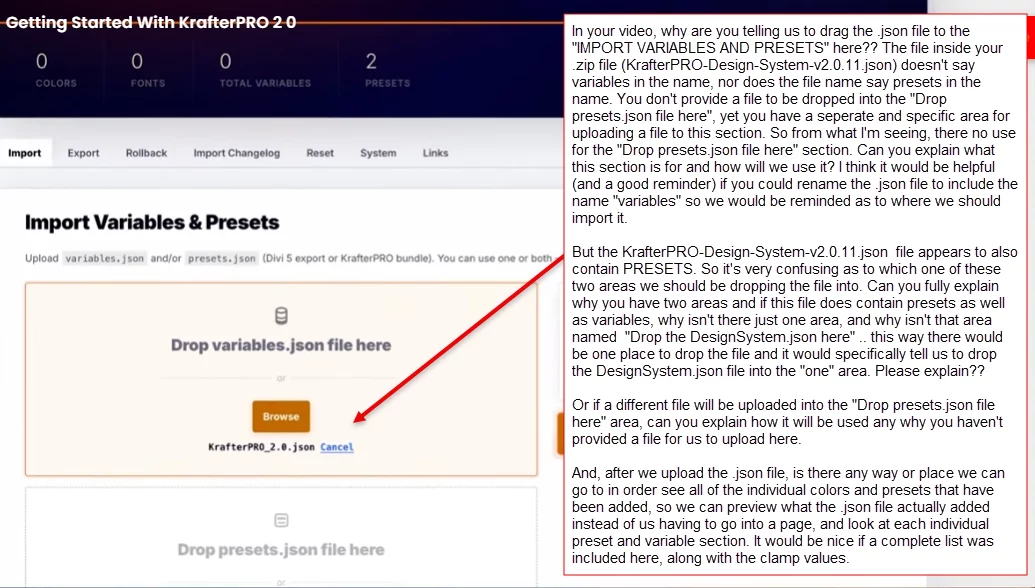
In your video, why are you telling us to drag the .json file to the "IMPORT VARIABLES AND PRESETS" here?? The file inside your .zip file (KrafterPRO-Design-System-v2.0.11.json) doesn't say variables in the name, nor does the file name say presets in the name. You don't provide a file to be dropped into the "Drop presets.json file here", yet you have a seperate and specific area for uploading a file to this section. So from what I'm seeing, there no use for the "Drop presets.json file here" section. Can you explain what this section is for and how will we use it? I think it would be helpful (and a good reminder) if you could rename the .json file to include the name "variables" so we would be reminded as to where we should import it.
But the KrafterPRO-Design-System-v2.0.11.json file appears to also contain PRESETS. So it's very confusing as to which one of these two areas we should be dropping the file into. Can you fully explain why you have two areas and if this file does contain presets as well as variables, why isn't there just one area, and why isn't that area named "Drop the DesignSystem.json here" .. this way there would be one place to drop the file and it would specifically tell us to drop the DesignSystem.json file into the "one" area. Please explain??
Or if a different file will be uploaded into the "Drop presets.json file here" area, can you explain how it will be used any why you haven't provided a file for us to upload here.
And, after we upload the .json file, is there any way or place we can go to in order see all of the individual colors and presets that have been added, so we can preview what the .json file actually added instead of us having to go into a page, and look at each individual preset and variable section. It would be nice if a complete list was included here, along with the clamp values. Mak .