DIVI 5 - KrafterPro - AI
I've watched Mak's videos and experiments using AI with DIVI 5 and KrafterPro. I know Elegant Themes will be adding AI to DIVI 5, I hope soon. In the meantime, what determines the AI engine Mak used? What are the best options? What are the costs associated? Why use one AI and not another?
I currently have subscriptions to Grok and Gemini. Gemini can generate a site structure, recommended content, etc... but not a visual design image. What is the best way to generate that?
I ran across bolt.new - anyone with experience with that platform?

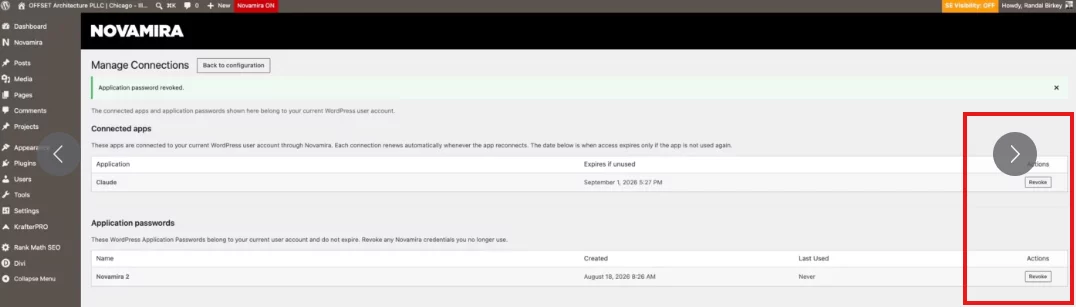
Mak . - I'm trying to install and hook up Novamira with Claude and not having much luck. I keep getting a connection error "Could not attach to MCP server". I've looked at a number of YouTube videos, and read articles. Did you have trouble getting your Mac set up? I'm trying to use it for a new project that is in process here: https://offsetarch.com/new-home/
You can see that Novamira is installed. What method did you use to connect... and are you using Claude Desktop... or some other?

Randal Birkey
Why not try the OAuth login instead? It’s more secure.
WPTierz Laurent Because my domains are hosted on Cloudflare.
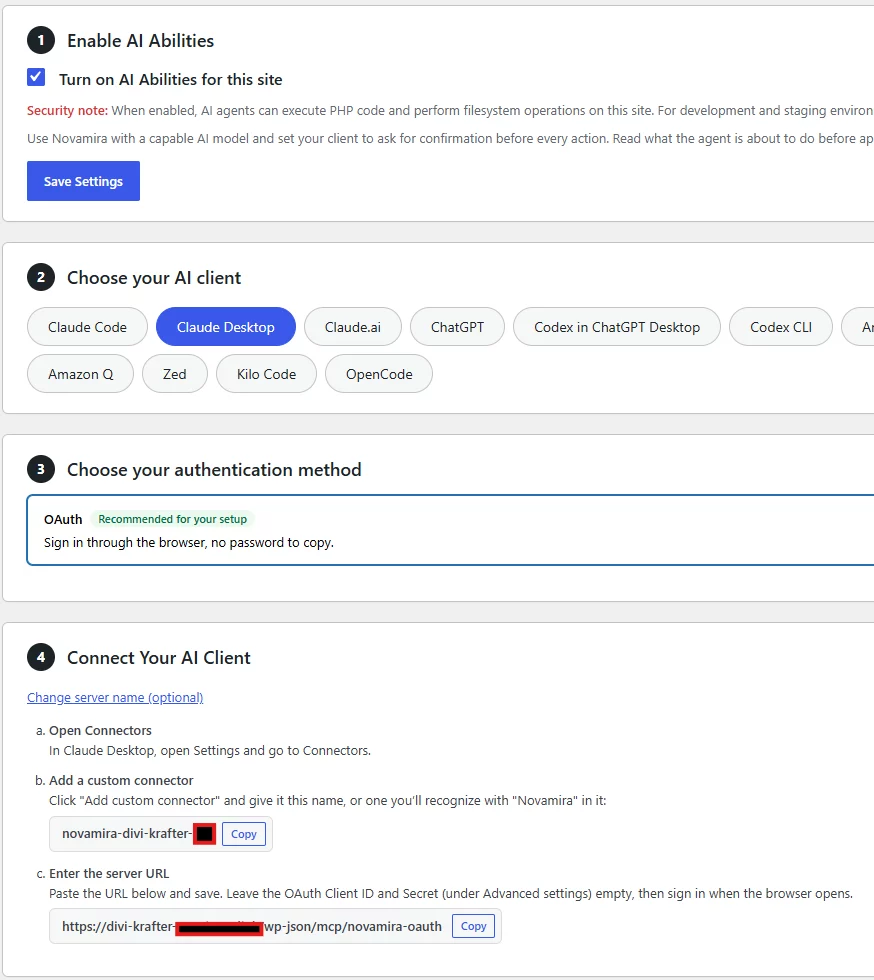
Enter the server URL
Paste the URL below and save. Leave the OAuth Client ID and Secret (under Advanced settings) empty, then sign in when the browser opens.
-> Copy
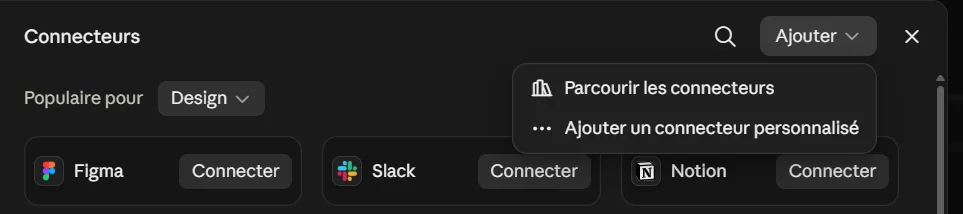
open Claude Desktop -> parameters -> connectors -> add( top right: ‘Add a custom connector’ )
paste the information from Novamira Pro
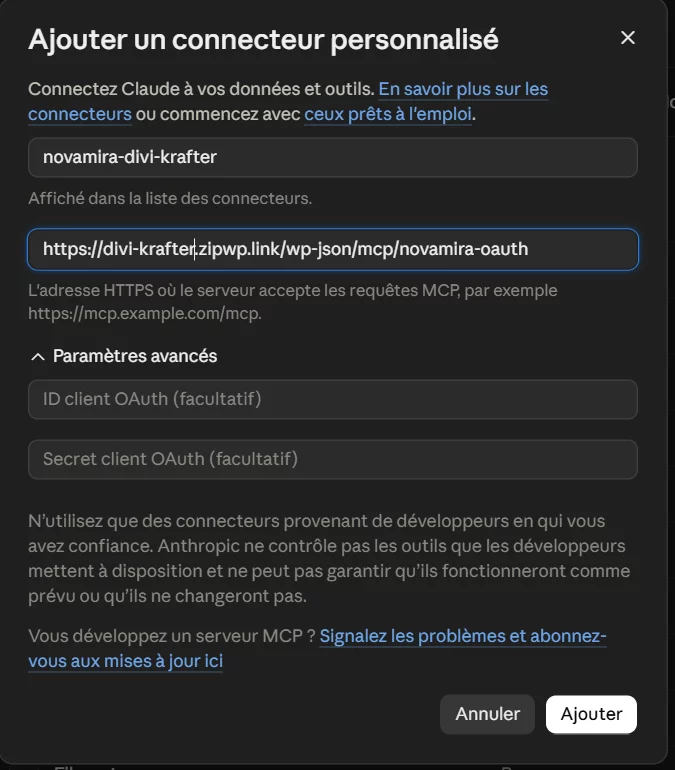
add
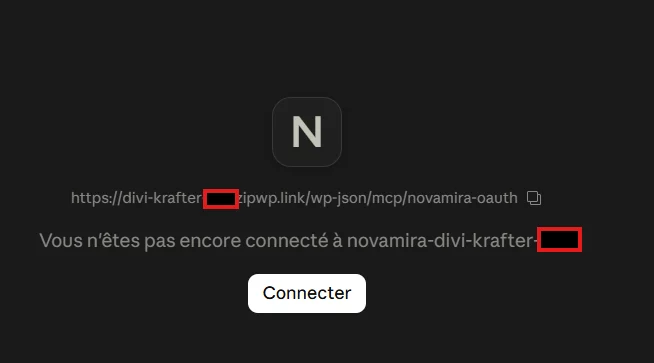
then log in
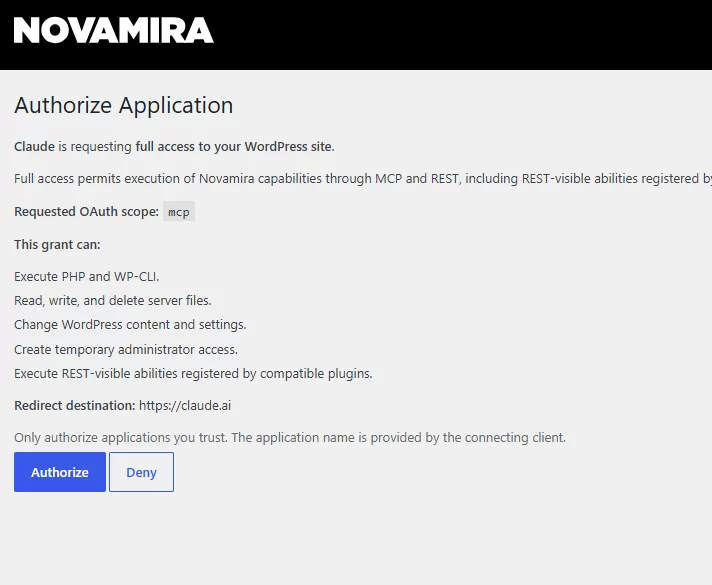
once you have logged in -> authorize
dans votre navigateur il demande d'ouvrir Claude Desktop
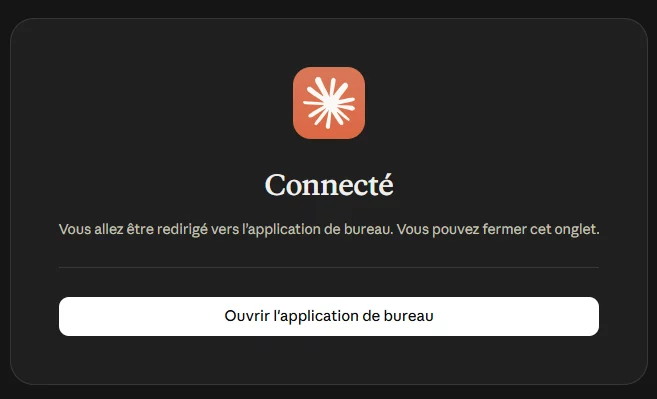
Now That's it!
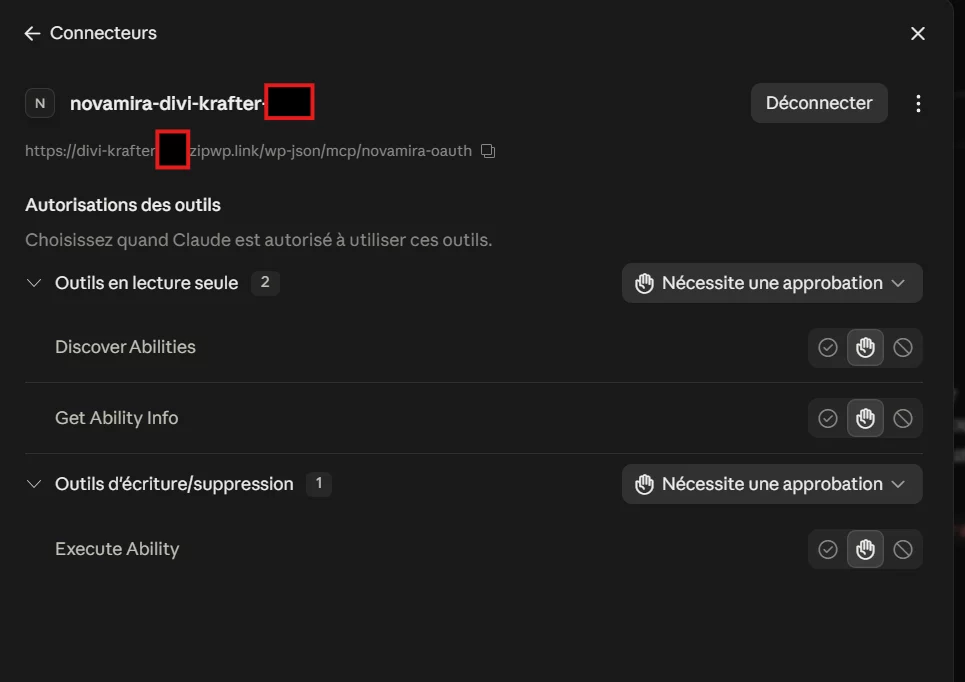
⚠️To use Novamira with Divi 5, you need the PRO version!
Thanks. I've made all the changes, but it still doesn't work. I have the pro version. I've entered the key and the MCP server. Still have an error.
Randal Birkey
Have you tried using the OAuth connection? As shown in the screenshots, a custom connector.
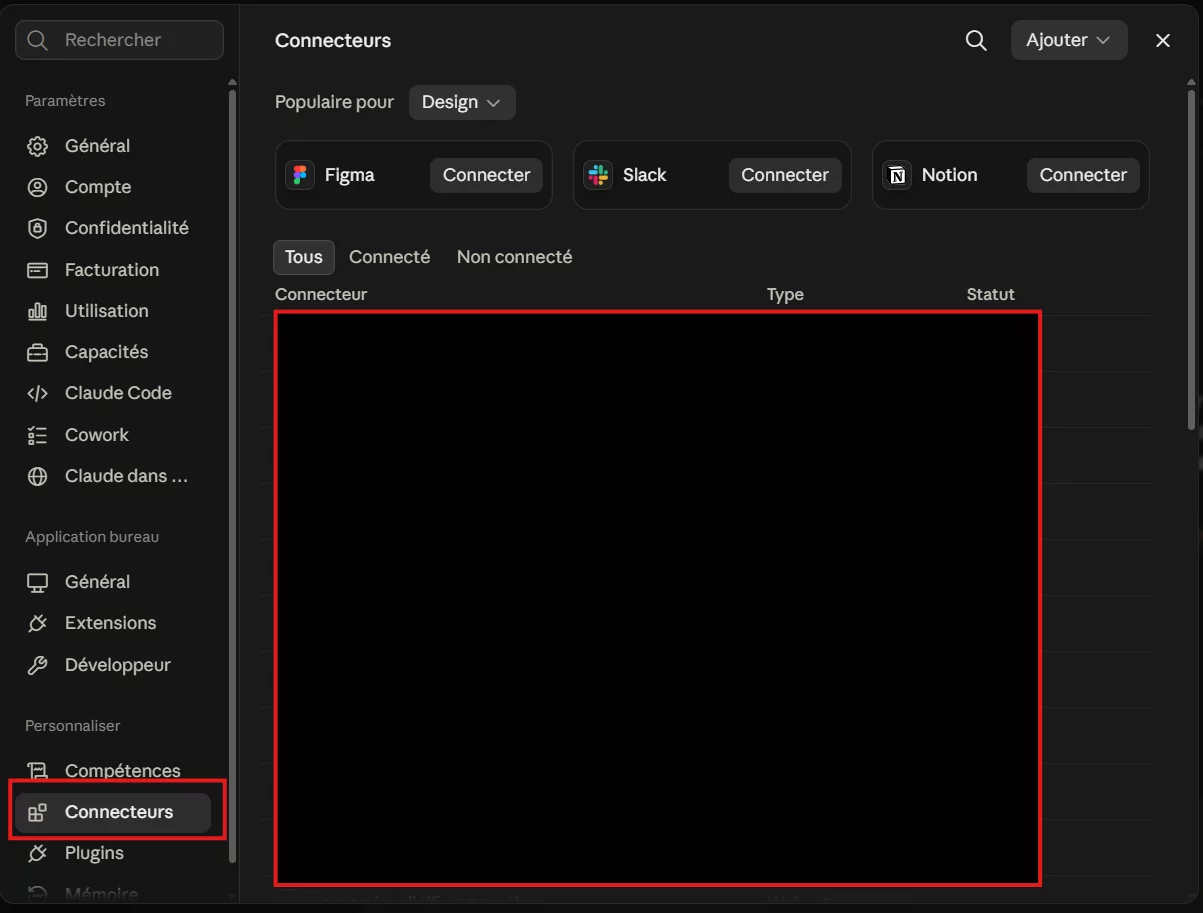
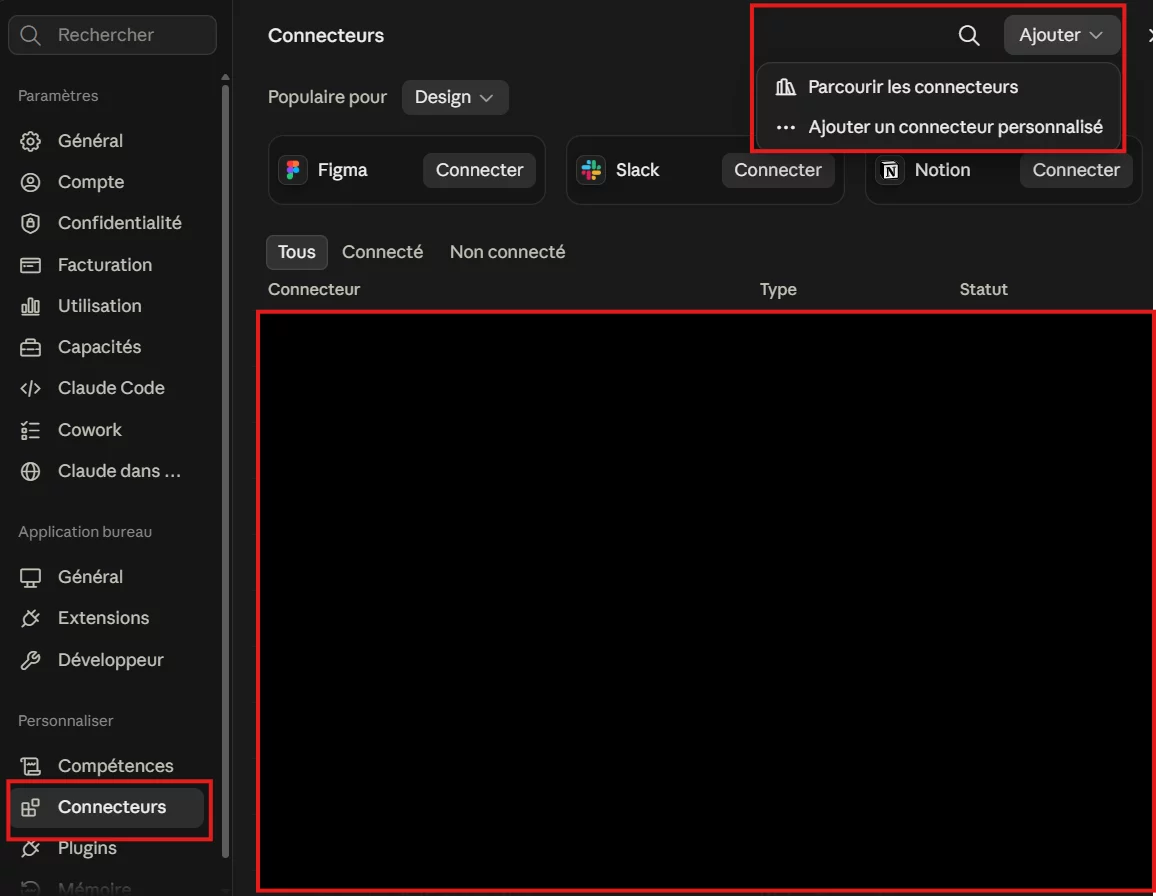
I did use the OAuth method to get this far. The error persists.
I also saw a section in Cloudflare to add/setup MCP servers... and I attempted to do that also. It still generates errors, and Novamira can't connect my site to Claude.
Your website is properly linked here. Very good!
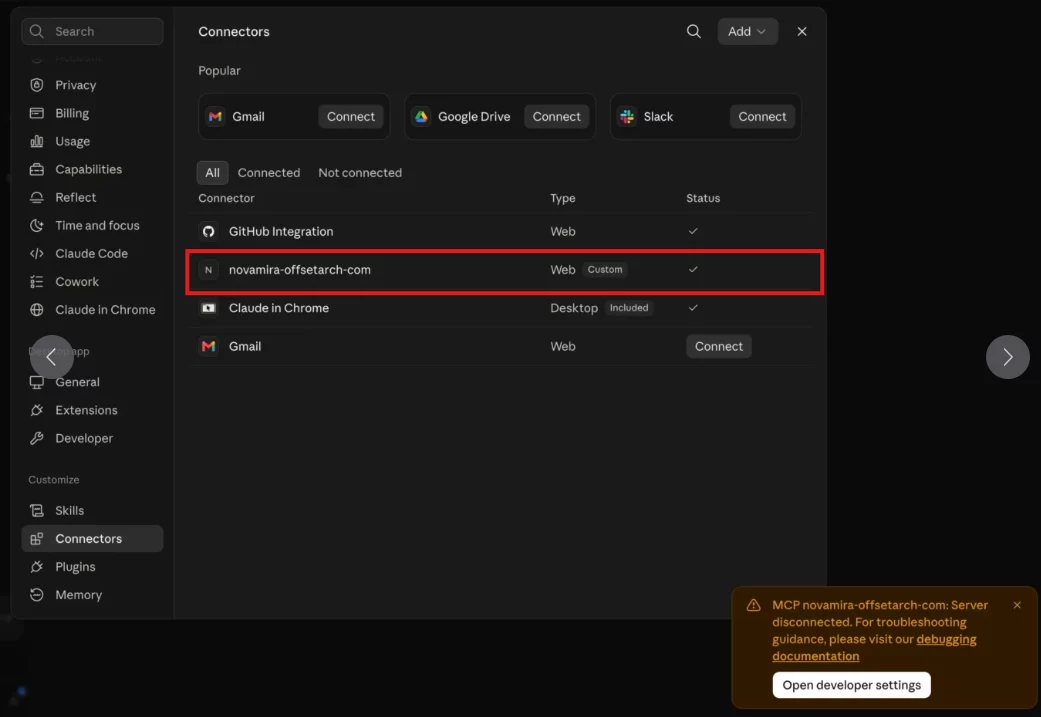
To fix the error, you need to go back to the JSON file "claude_desktop_config.json" and delete what you entered manually.
DELETE ->
"novamira-xxxxxx": { "command": "npx", "args": [ "-y", "@automattic/mcp-wordpress-remote@latest" ], "env": { "WP_API_URL": "https://offsetarck.com/wp-json/mcp/novamira", "WP_API_USERNAME": "xxxxxxx", "WP_API_PASSWORD": "xxxxxxx" } },
Close and restart Claude, then ask Claude in the chat: Claude, can you see my website? https://offsetarck.com
You can revoke application keys in Novamira; they are no longer required, as login is now handled via OAuth authentication.