

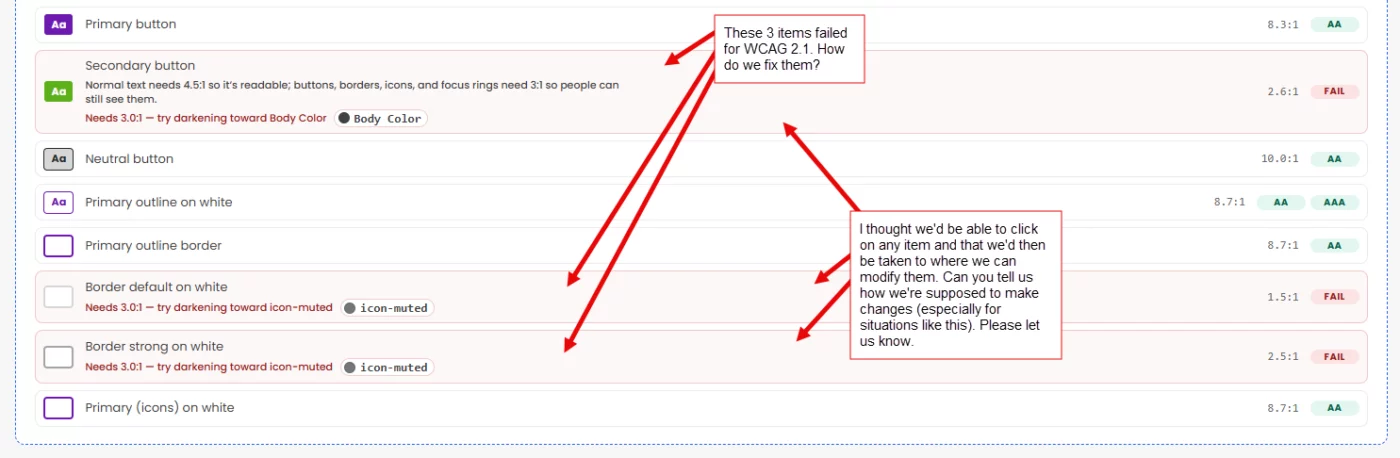
In KrafterPro v3.0.1, there's a few things failing. See the screenshot.
I'm curious how we should go about fixing them. (By the way, after I upgraded to v3.0.1, I wanted to re-install the .json file again, but it no longer was available under the Style Guide area. So I had to download the KrafterPro 3.0.1 and extract the .json files from the .zip. Not sure why I wasn't able to still access the StyleGuide (to download it) from under your "Style Guide" area. See my screenshot for the WCAG issues. I'm wanting to know how you recommend we make changes. I thought it would be nice if we could click on the items and go to where ever is needed so we could just make an edit. Please let us know. (PS: What does "Lab." mean when you say KrafterPro Lab.??

My same thoughts. I tried to change things, and it made no difference. I'm scratching my head.

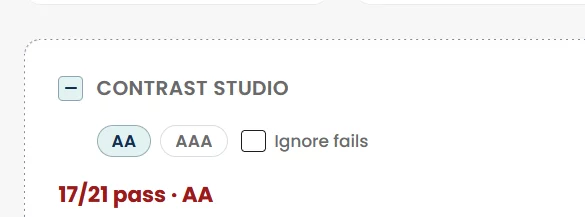
He briefly mentioned this in the video for this release. He stated you don't really need to worry about those too much if the numbers are close. You have to find where those colors are being used. I have a few too but I'm not going to stress over it because it's so minor for my site. He says you can ignore them too by ticking the "ignore fails" box. Here are my numbers.
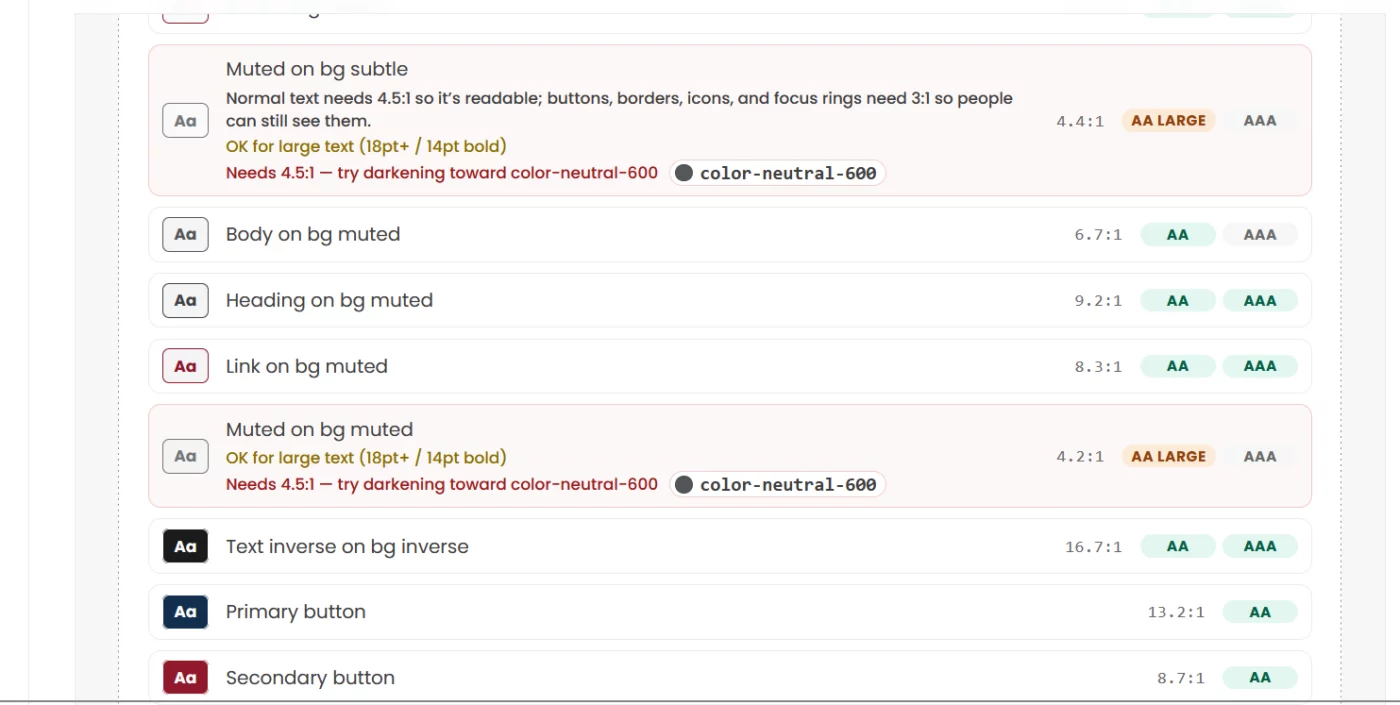
I have been learning about accessibility; I want to offer it as a service. Close is not enough for me. I need to understand this better. I want to know how to make a change to stop the warning. The warning states, try darkening towards... I have tested it by making the muted background a tone of 600, and it does not move the score, so I put it back. I even refreshed the page.
Like the muted background. It is muted and not far off from white; that is the point. So, this may be a false positive.