

Still having trouble finding exactly where to go to apply the fixes.
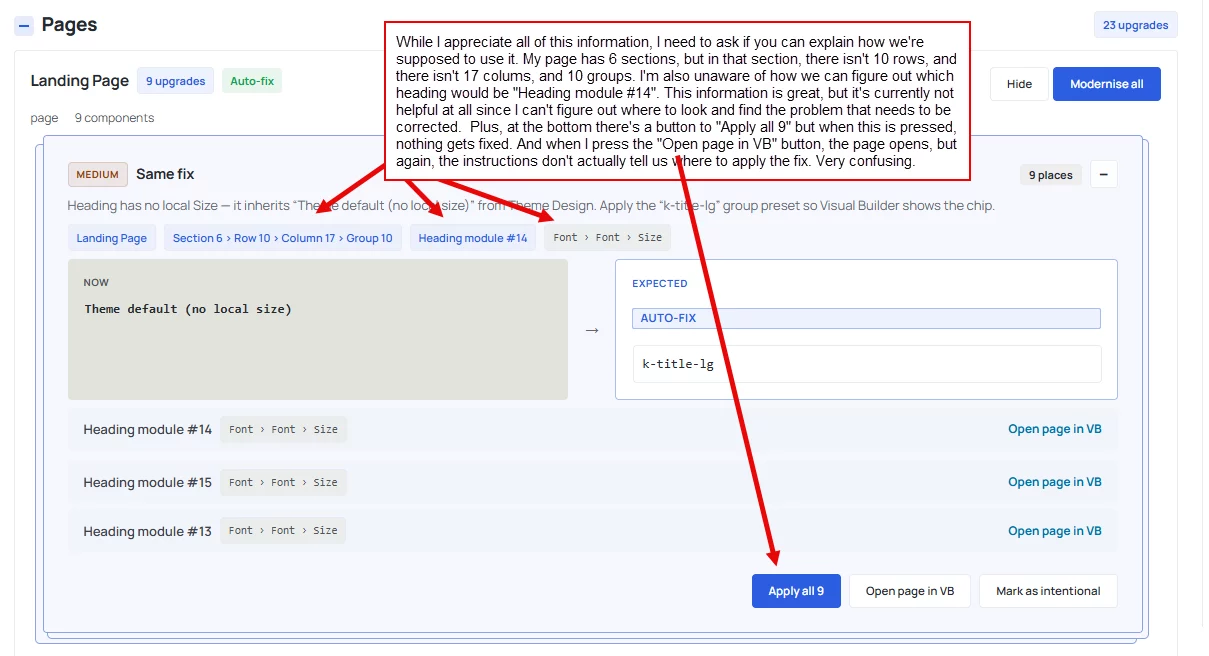

Thanks for flagging this — you're right that it's confusing. Those numbers (Section/Row/Column/Group, and "Heading module #14") are page-wide position counts, not counts within just that section — Divi doesn't label rows/columns itself, so there's no way to spot-check them visually, which is exactly the gap you hit.
The intended path is "Open page in VB" — that should jump into the Visual Builder and auto-select the exact module for you (it can take a couple seconds after the page loads). Can you confirm whether, after clicking it, anything gets selected/highlighted at all, or literally nothing happens? And for "Apply all 9" — did a browser confirmation popup appear before you clicked, or did it just do nothing?
I want to pin down whether these are just unclear vs. actually broken on your setup, and I'm going to get the labeling and the VB deep-link fixed either way.