

Please check your email.
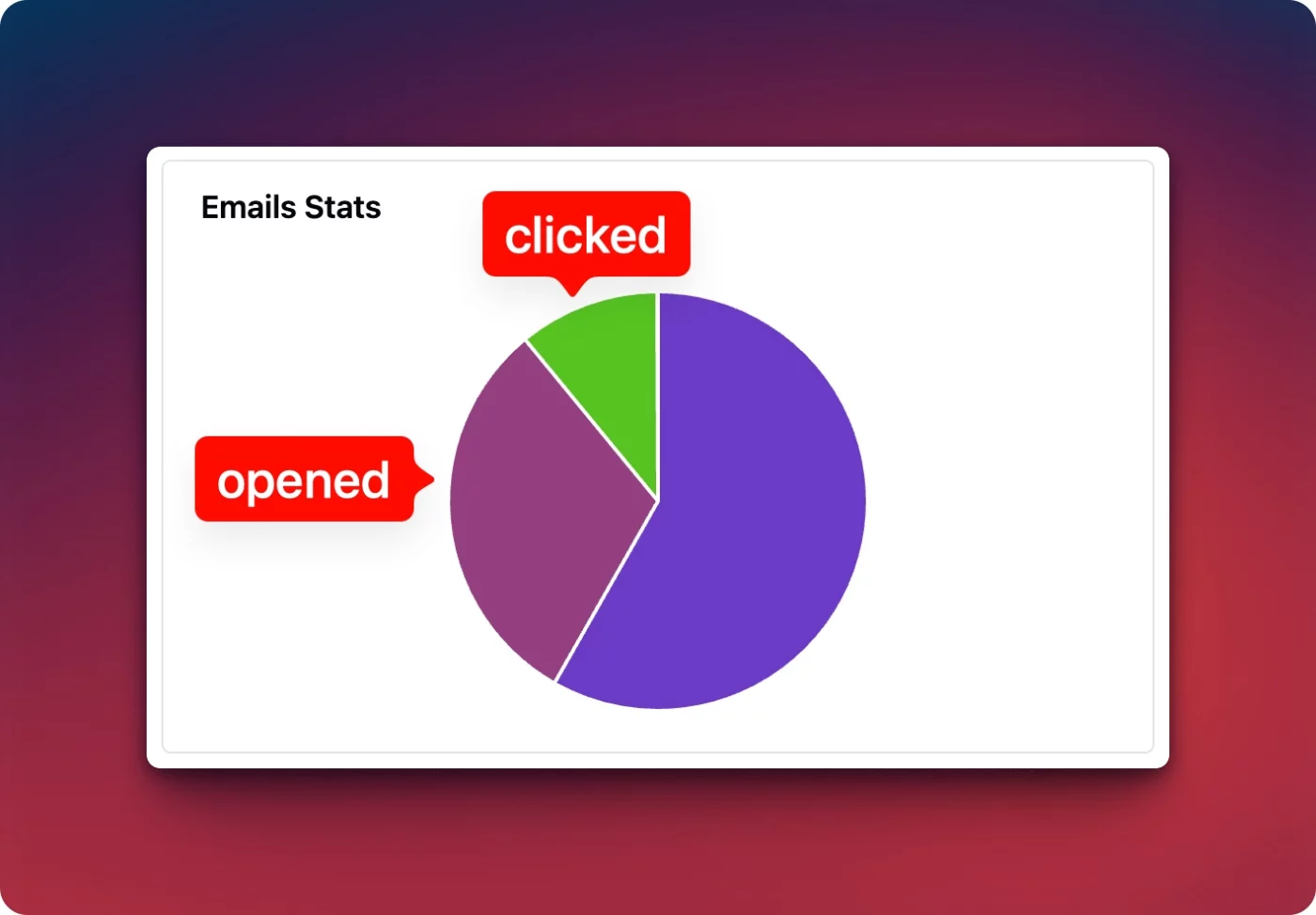
I noticed that yesterday, only 20% of people clicked through to claim their KrafterPRO licence, while many opened the email but didn’t complete the next step.
I’ve sent another email today with the details on how to get your KrafterPRO licence.
If you haven’t updated your licence yet, please do this by tomorrow, as I’ll need to deactivate the coupon code after that.
Thanks,
Mak
It answers a lot of your questions...

Could someone please let me know if I should import the KP (2.1.8) KrafterPRO_Design_System.json file using the variables.json file or preset.json import options? Many thanks - Mark

I submitted a few support tickets and also emailed you the same, but haven't gotten a response. I realize your busy, but these are important questions. Please help.
Gary Gordon
Activate Your KrafterPRO Licence Today!
Please check your email with instructions to update your licence.

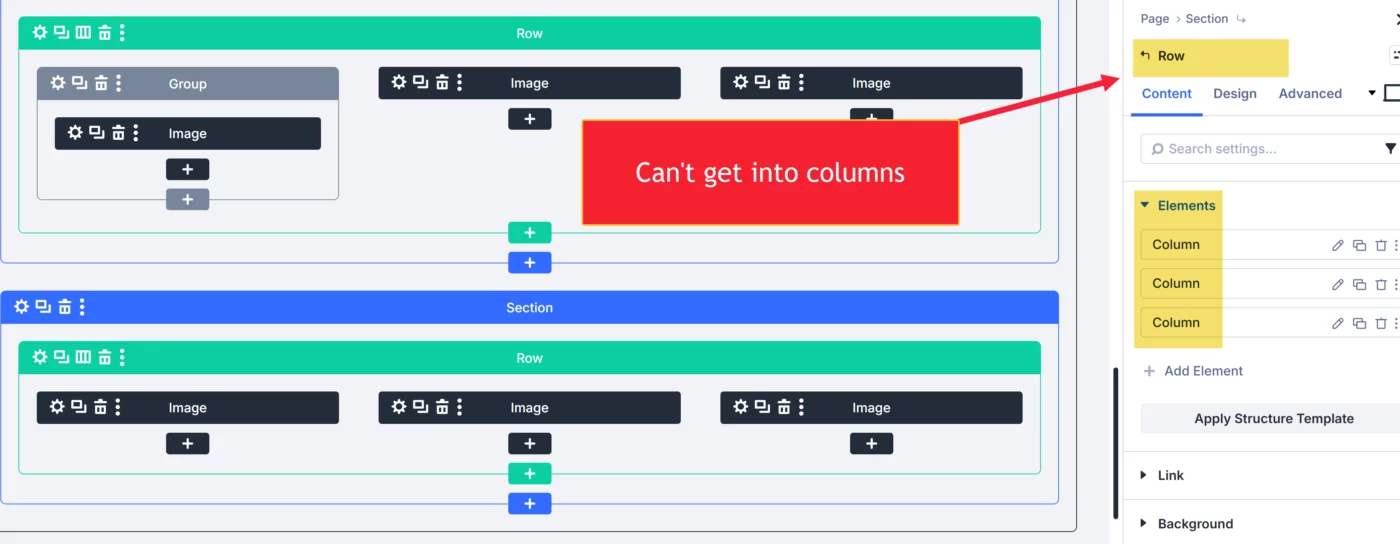
I am building a row with three columns and I want to set it to use auto grid. For some reason, I can't get to the columns. I can only access Section, Page and Row. I am on Divi 5.4.1 and KrafterPRO 2.0.19.
Is this a Divi issue, A KrafterPRO issue, or did Mak remove auto grid? Or, could it be a user error (which would be embarrassing)? I used auto grid in other areas of the site I am building several weeks ago, so this comes as a surprise. If anyone has a fix, I will appreciate your insight.
In this video, I talk about the
- licensing issue of KrafterPRO
- Divi Design system progress
- How to upgrade
and more.
Please watch this video, it answers a lot of questions.

I see that V2.1.8 is available. Is THAT KrafterPRO Agency? I have KrafterPRO
License and dashboard says KrafterPRO Yearly Unlimited
Expires on: May 02, 2027.
DO I have to buy the Agency Mak . ?

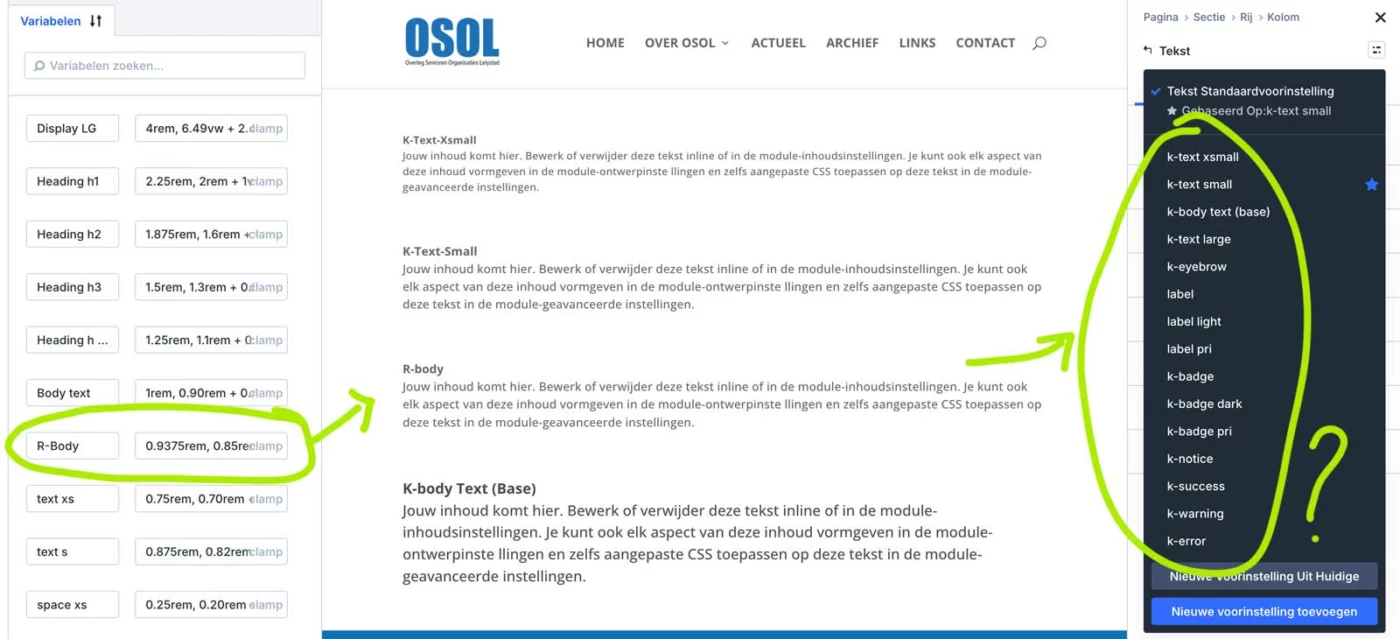
Question. I'm working with Krafter Pro but i think that the K-Body-text (Base) is way to large. So i decided to make my own body R-body. I went to Chat GPT and asked for a clamp value between Body-Text and Text-small. And Chat GPT came up with a value. I created my variable but it doensn't show up in the pre settings on the right handside. (see attachement).
I also find i strange that the naming of the Pre selectors variables are different on the left and the right.
Like to read some thoughts on this.
Yesterday I needed to test Fluent SMTP on my new Divi 5 site that is still in development on my localhost platform. I soon realized that wasn't possible, so I went to my live Divi 4 site and installed it there. In the process I had to create a test page and in a matter of moments I felt as if I was working in CP/M or DOS vs Windows 11. In my opinion, Divi 5 is light years ahead of Divi 4, but more importantly, KrafterPRO takes it to a new level entirely.
Thank you, Mak, for your incredible work and thank you, Frank Schlatter for the dedicated collaboration you are engaged in with him.