Mak . I just updated the Design System to version 3.1.3 and selected Merge so I wouldn’t lose the settings and presets I used to build the site.
After the update, some of the colors had changed, including to purple. How did that happen?
Choosing Merge shouldn’t change anything that is already being used on the site. It becomes quite cumbersome if we need to take a full backup of every site each time there’s an update to the Design System or the plugin.

While installing kPRO 4.1.24, I tried to remove my current variables and colors. However I ran into this error message. Any suggestions what I might be doing wrong? Thanks


Hello!
If someone can please check out my screen recording and assist I would greatly appreciate it! 🙄
Hi!
If I build a blog layout using the Loop feature in Divi, how can I set a fixed or equal height for the blog cards so that they all remain the same size despite having different amounts of content, just like the Blog Module does by default?

This is specifically in the visual builder. This occurred even before the recent update. When I hover in my sections, rows, modules, the settings boxes do not appear. and for rows specifically they constantly flash. I always have to use layers or the settings box to do what I need. Any idea why this occurs? Is it a bug?
https://www.loom.com/share/1e1f80a6843f49d8b40846b23f1e1f05

Hi,
I have updated to the last version krafterpro, nu are my buttons huge!!
How can i fix that?
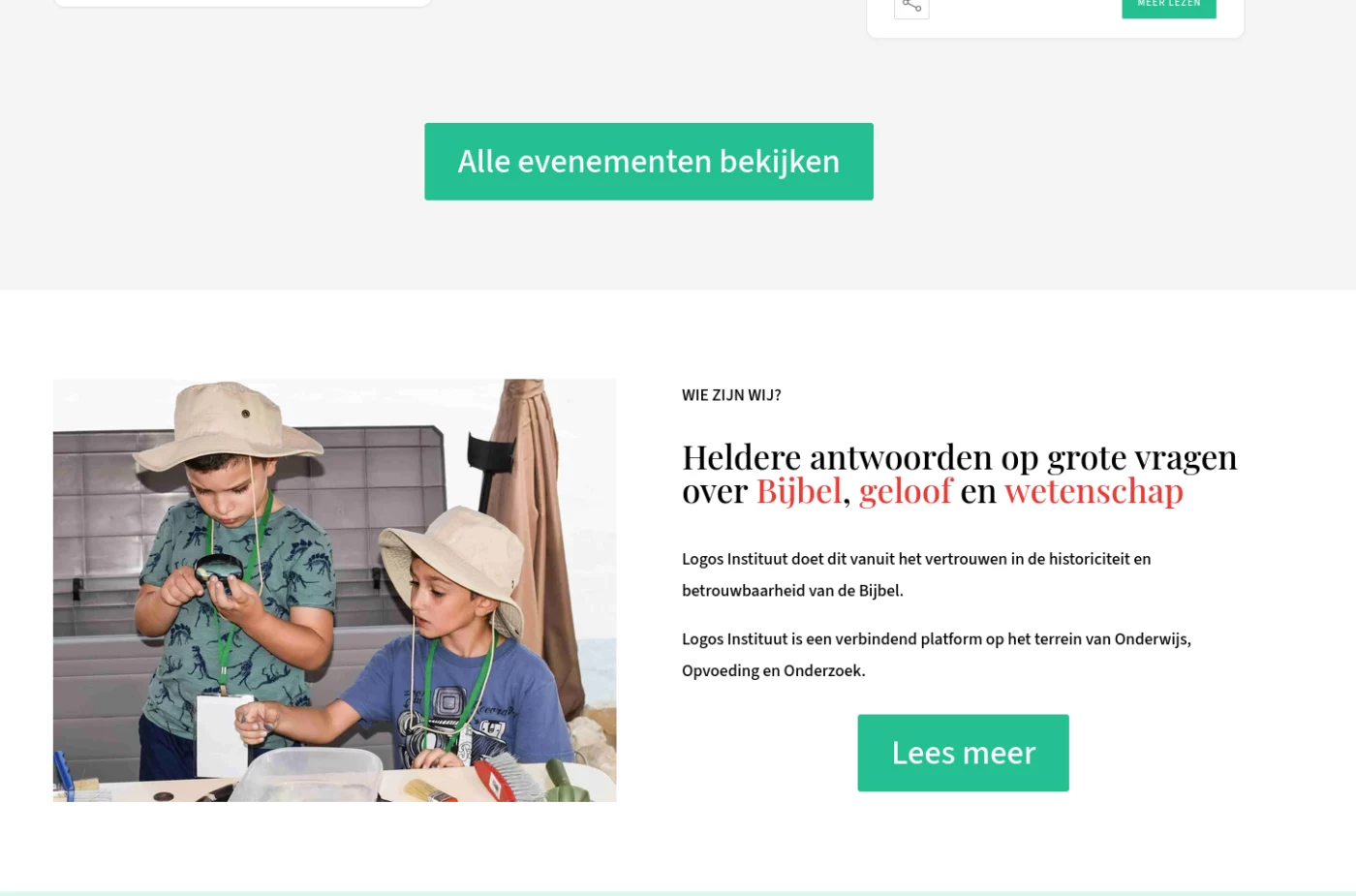
I know others have had this same issue. I'm trying to create a full section and sometimes full rows and the section or row has padding on the left and right that I can't get rid of.
I created my own preset and used 100vh and 100 vw in section design settings, and it eliminates the padding on the right but not on the left. In the images, even padding all around is "k-section-full" preset. The image with padding on left only is my preset.
Can anyone help? I made a video too of the issue...https://www.loom.com/share/0d9a3e8c8a994b50be9852df43a09b14



have installed Krater 4 on coterie.dk, and installed the system with merge. When running an audit Krafter Pro acts peculiar - it try to fix and increase the score, but immediately it again go back to the original score and do not fix anything. What have I done wrong - you can get full access to the site as it is just a testsite for my own company.
regards
Leo

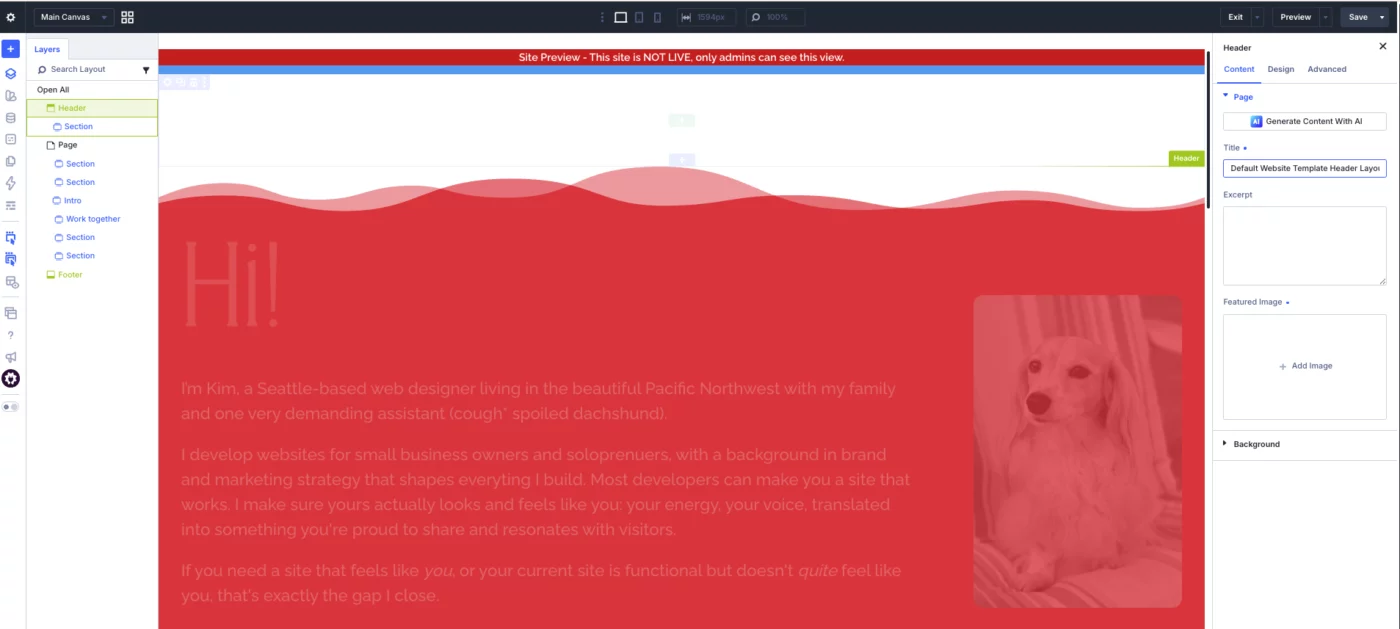
I was attempting to redesign my global header, but old styles were still appearing even after clearing the cache. I deleted the header and to try to rebuild. Now the header and my pages are very faded out in the builder. Trying to work on the header, it lets me add elements but then you can see them. Help!

Hi everyone,
I'm in the process of updating my DIVI 4 website to DIVI 5. I have done the DIVI 5 migration (version 5.9) and installed KrafterPro v3.0.10 and imported the design system.
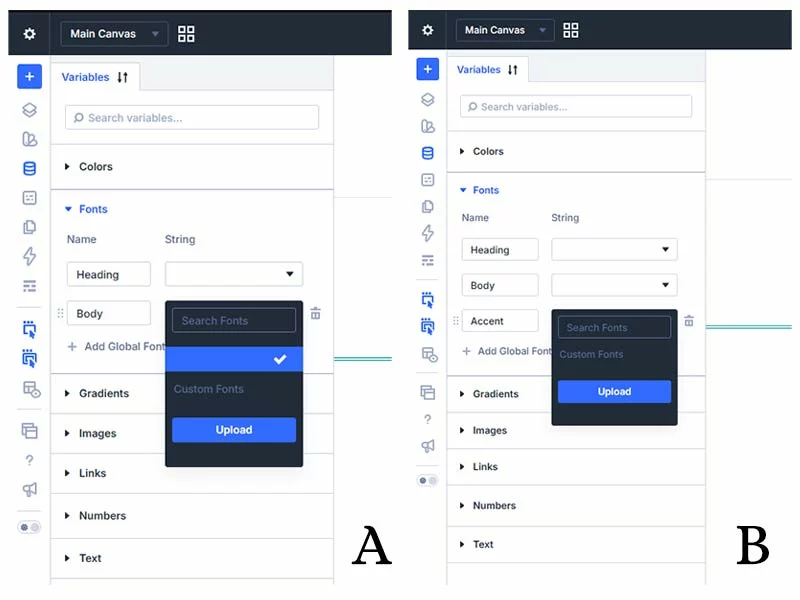
KrafterPro has picked up my global colours from DIVI 4 and the 2 main fonts and set them as the brand colours and fonts. However, I'm thinking of changing my fonts but when I go into the fonts section of the variables manager there are no options available and a search brings up nothing - see pic A.
The second problem I have is that I would like to add a font that I use as an accent font for my signature etc. Again, I can't search for a font and neither can I upload a custom font (see pic B) as when I click on upload the page goes blank.
Can someone help me get the fonts back please - TIA