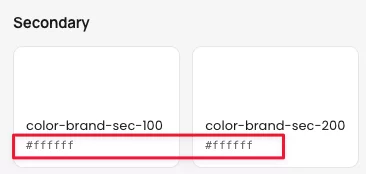
On the new version 3.0.10, the Color-brand-sec-100 and 200 are showing white #ffffff. My system has a different value. But the Style Guide shows white.


Hi Everyone. I am working on a website in Divi 5 and I am also using the Divi Supreme Pro Advanced Tabs module. I have used the Divi Library to create the content for each tab as the Advance Tabs module gives you the ability to utilize library layouts for the content. You can use the different modules in the library layouts so you can have more design options for the tab content. My problem is that when I integrate my content, I get a margin on my tabs that I can't seem to get rid of or even change the color of. My library content does not have any margins, and when I try to change the settings of the tabs, the margins will not go away. Does anyone have any ideas of what might be causing this? Here is a link to the current page with tabs: https://wordpress-495343-6507898.cloudwaysapps.com/biography/

Hi,
If I've designed a layout for how the blog archive should be displayed using the Loop feature, so that the different elements are populated dynamically, how do I make it so that clicking on a blog post takes the visitor to the actual blog post?
Best regards,
Mathias

There is CSS applied to img that affects all images on whichever page has this preset loaded because it targets every img on the page.
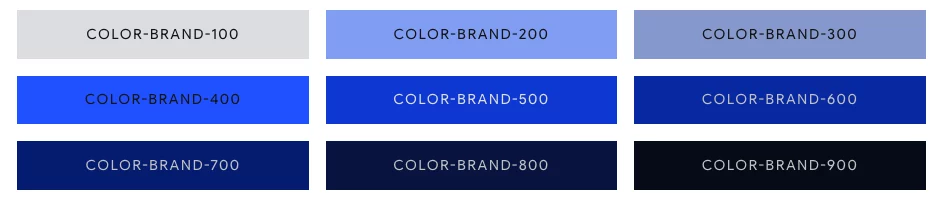
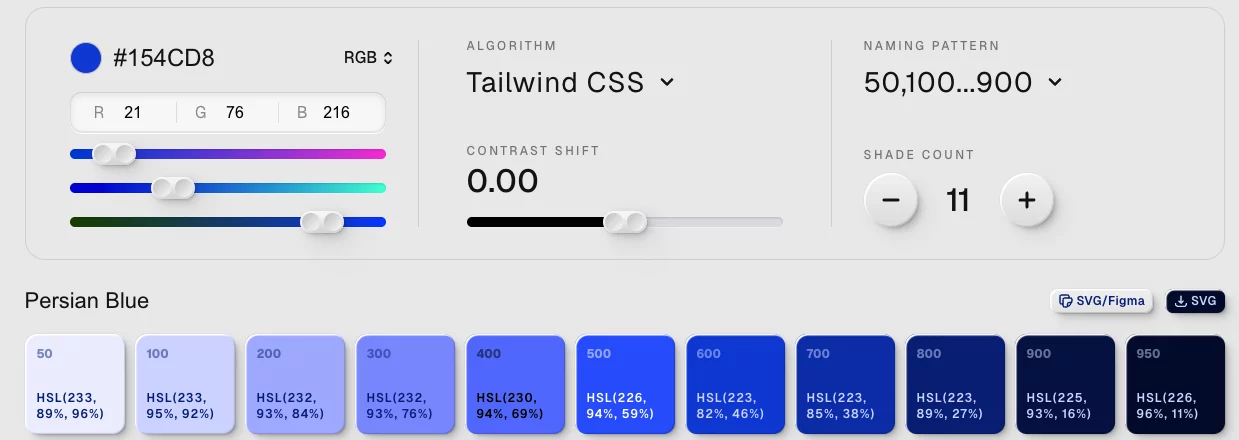
For example, the Color-Brand 050-900 seems off. My primary color is #154CD8. The 100, for example, looks more gray (no blue hue). The second image seems to flow better. These are handled by "calc" statements, but I do not understand how the values are chosen. It appears the "calc" statements are generic; I asked Claude to give me calc for two colors, and they are different calc values.
'100': hsl(from #154CD8 calc(h + 9.6) calc(s + 13.07) calc(l + 45.1))
'100': hsl(from #FFD166 calc(h + 9.6) calc(s + 0) calc(l + 25.28))
I am looking for understanding, and this is not a criticism.

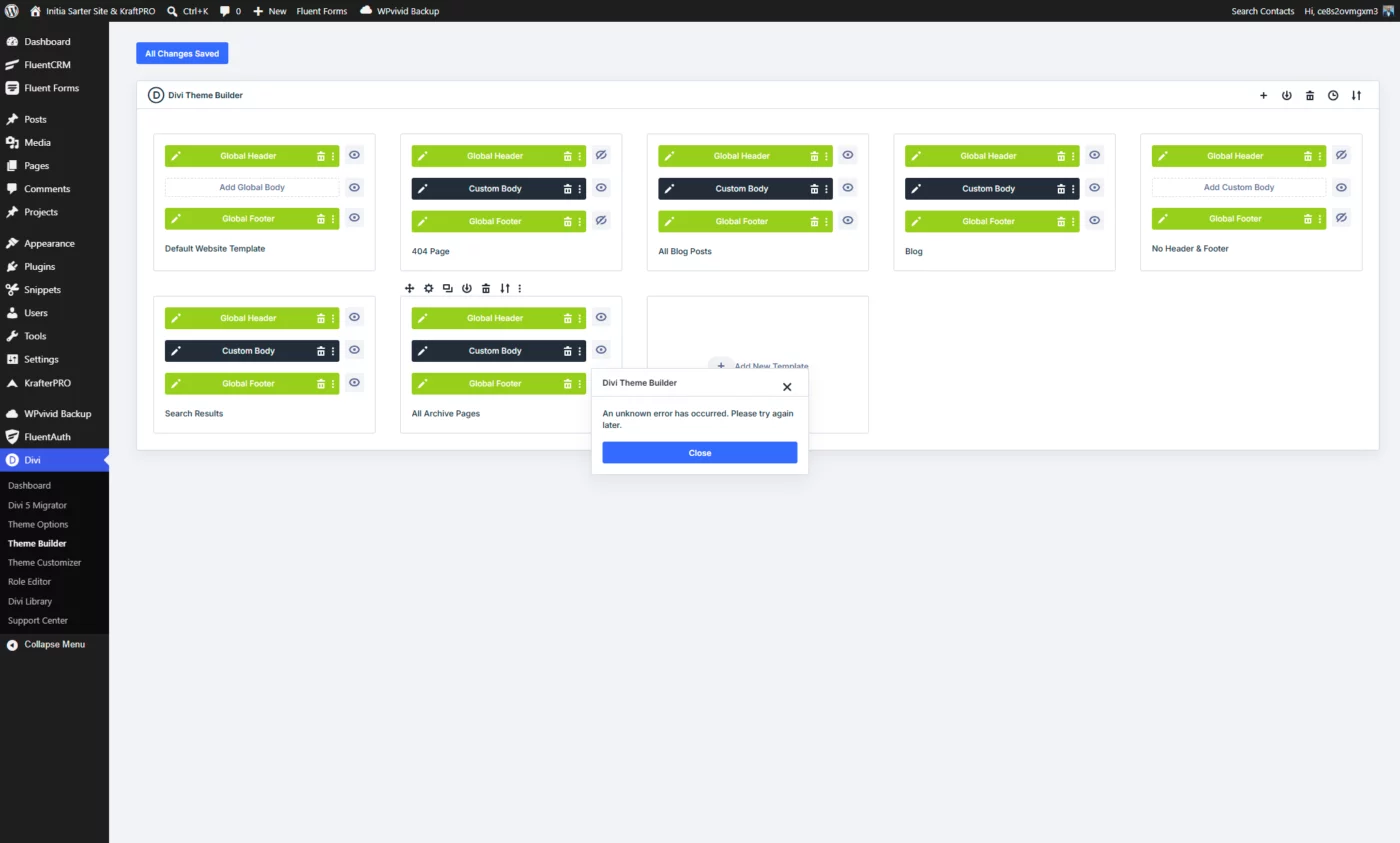
Whenever I try to edit anything inside the Divi Theme Builder (any of the Global Header, Global Body, or Global Footer), the builder never loads. I just get the square loading icon for a while, and then an error appears:
“An unknown error has occurred. Please try again later.”
This only happens on sites where the Initia Starter Site is installed.
I’ve tried clearing caches and disabling plugins, but the issue persists.
Has anyone else experienced this with Initia? And does anyone know what might be causing the Theme Builder to fail to open?
Thanks

When using MAK´s row presets, e.g. "K-Content-Width" it works perfectly on Desktop, but as soon as I collapse to smaller screens there is absolutely no padding on the left or the right. It seems as if in the spacing tab there once was assigned dynamic content, that is not there yet. Not sure, if this is a general bug or if it is just on my end.
I started to play with Novamira plugin (pro) today on my build site. I asked Claude to edit one page to rename the modules' Meta Labels- WOW. I am impressed. Here is a before and after. Has anyone else done this kind of thing?
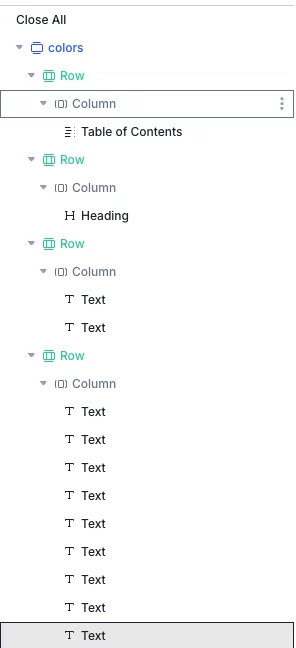
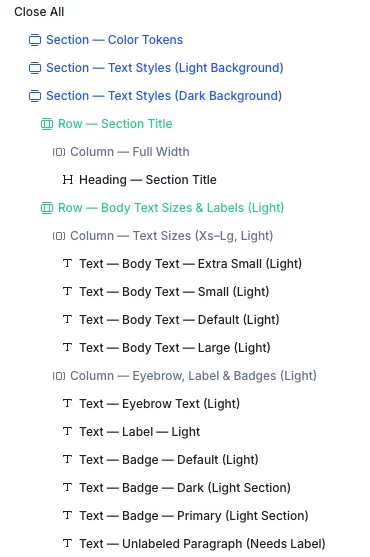
Mak . Hi, Has the place where you change the Secondary Color been moved in the new version of KrafterPRO?

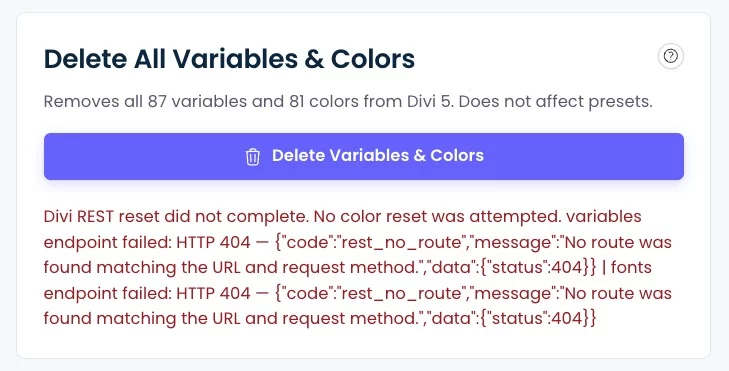
I am reposting this issue here after the Community reorganization by Mak. I keep getting this error when trying to reset my old KrafterPro presets and variables.
Divi REST reset did not complete. No color reset was attempted. variables endpoint failed: HTTP 404 — {"code":"rest_no_route","message":"No route was found matching the URL and request method.","data":{"status":404}} | fonts endpoint failed: HTTP 404 — {"code":"rest_no_route","message":"No route was found matching the URL and request method.","data":{"status":404}}
I've contacted my host provider (Cloudways) and they responded as follows:
\==========================
The error message indicates that the requests are reaching WordPress successfully, but WordPress is returning a 404 rest_no_route, which means the endpoints /wp-json/divi/v1/variables and /wp-json/divi/v1/fonts are not registered on the site.
/ divi/v1/variables
/ divi/v1/fonts
Those endpoints do not exist on this installation, which is why WordPress returns:
{
"code":"rest_no_route",
"status":404
}
We recommend contacting the developer/vendor of the reset utility (That would be Mak) and providing the route list above. They should verify whether the tool supports Divi 5.x and update the endpoint mappings accordingly, as the site's REST API and Divi REST routes are functioning normally.
\=================================================
Does anyone understand what this means, or have a way to avoid or fix this issue? I'd appreciate any insight. Thank you.