

Insane Divi 5 Speed now in new update 9.3

In the early days of Divi 5, the idea of a purely class-based system like SiteKrafter was fascinating. From a developer's perspective, it offered the vision of a clean, lightweight code solution based on the logic of Tailwind CSS. However, the reality of web development has taught us that a tool must be more than just powerful; it must be intuitive and centrally controllable for a designer's daily workflow.
The Realization: Variables as the Heart of Consistency
Mak realized early on that a truly clean workflow for web designers is nearly impossible without central management. While classes often create an abstract layer between design and result, variables in the Divi 5 Variable Manager tap directly into the DNA of the design.
Without this central control, achieving true consistency and a consistently Fluid / Responsive Design (keyword: fluid clamp() functions) is almost impossible for designers to manage efficiently. This is why the focus has shifted consistently toward the Krafter PRO design system—moving away from complex class structures and toward a system that works where the designer feels most at home: within Divi’s native interface.
Krafter PRO: Transparency and Speed
The combination of variables and presets offers advantages that a pure class-based system often lacks in daily practice:
- Traceability: A user immediately understands what a preset does. They can create their own presets, link them to global variables, and ensure that changes made in one place (e.g., a color or a spacing value) are instantly applied globally across all pages.
- Central Management: Modifying a
clamp()function in the Variable Manager controls the entire responsiveness of the website without having to keep track of hundreds of CSS classes.
If you are torn between Krafter PRO and a class-based model like SiteKrafter, ask yourself one core question: Are you an architect of code or a creator of results?
- Choose Krafter PRO (Presets & Variables) if you prefer a fast, visual workflow where you can see and control changes directly within the Divi interface. It is ideal for designers who want to achieve consistency through simple, central levers (variables) without having to wrestle with the underlying CSS logic.
--> otherwise be a creator of restults by deep diving in code (Read my other Blog Articles)
Management Challenges: The Suffix Issue -
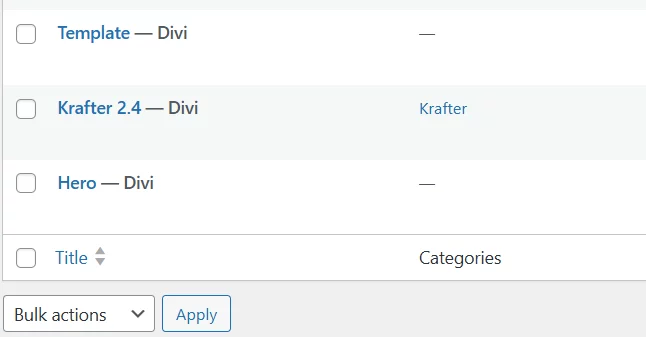
Naturally, this system brings its own technical hurdles. The current management of presets in Divi 5 often leads to duplicates with the "-Import" suffix during updates. This can quickly make the preset list cluttered and confusing.
Until Elegant Themes improves this, management remains the user's responsibility. A proven strategy is to add a custom suffix (e.g., xy-) to your own presets. This makes them easier to identify and protect during database cleanups by yourself (e.g., when deleting legacy data from the wp_options table).
Conclusion: The Designer Wins
In my opinion—despite the weaknesses in Divi 5's preset management—Krafter PRO is the more understandable, faster, and ultimately better choice for designers who want to understand and apply a modern web design workflow, whether they are beginners or advanced pros.

In this video, I share my favourite Divi 5 features, whats yours?

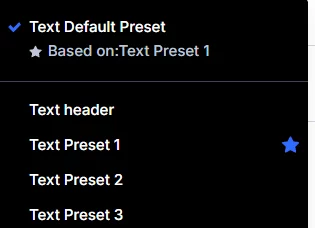
SK pro 7.5.1 Divi 5.00 beta 9.1 No clue how to get presets to work with K-variables.
Please help me. I'm wasting precious time.

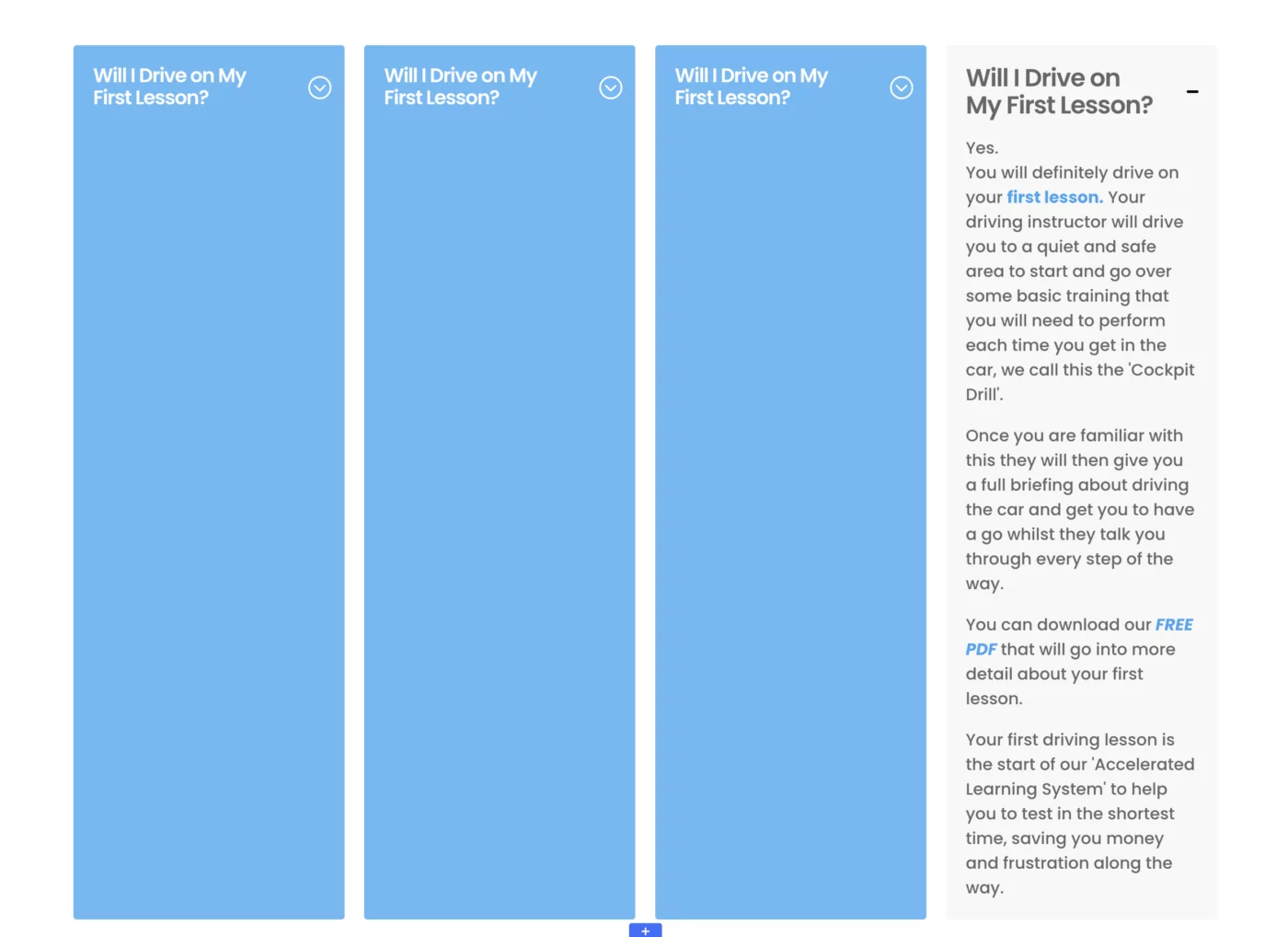
When using a toggle in the autogrid set up, if you open one toggle they all open!! It doesn't happen when they stack for mobile view.
Any ideas how to fix - I am using KrafterPRO
Anyone using the ecosystem developed by Mark (DiviUniversity) faces a choice between two fundamentally different approaches: the Preset System and the Class-based Model. Both promise fluid, consistent layouts, but the underlying architecture determines how future-proof your project truly is.
1. Krafter PRO (The Preset Approach)
This system utilizes the native Divi 5 Variable Manager and assigns design decisions via presets directly within the Design Tab.
- Pros: Highly intuitive. If you know Divi, you work visually as usual. Changes are made exactly where you see them.
- Hurdle: The current state of Divi 5 preset management. New or updated presets often receive the "-Import" suffix upon import if the name already exists, leading to cluttered duplicates.
- Architecture Tip: Users should keep in mind the importance of creating their own Child Theme here. If you rely solely on Divi’s rudimentary CSS input fields, you lose structural clarity. A Child Theme ensures that custom developments aren't overwritten by Divi 5 updates and remain organized.
2. SiteKrafter PRO (The Class-based Approach)
Based on a Tailwind CSS architecture, this system controls designs via classes (e.g., bg-primary-500).
- Pros: Maximum technical cleanliness and absolute consistency. No database conflicts or "Import" suffixes. A Child Theme is already integrated into the architecture, making it professional and update-safe from the start.
- Hurdle: Visual feedback in the builder is more limited. Crucially, the
style.csscan no longer be used for manual CSS code. Due to the Tailwind architecture, this file is regenerated during every build cycle, overwriting manual entries. Custom CSS must be integrated via the Tailwind input workflow. - Achilles' Heel: No error checking. If you enter conflicting classes into the Attribute/Class field, the CSS cascade takes over without warning.
Comparison at a Glance
-
Architecture:
- Krafter PRO: Child Theme recommended (optional).
- SiteKrafter PRO: Child Theme integrated (Core Architecture).
-
Target Audience:
- Krafter PRO: Beginners & Designers.
- SiteKrafter PRO: Ambitious Designers & Pros.
-
Workflow:
- Krafter PRO: Visual (Design Tab).
- SiteKrafter PRO: Text-based (Attribute / Class).
-
Update Behavior:
- Krafter PRO: Can be challenging (Duplicate "Import" presets).
- SiteKrafter PRO: Stable (Classes remain intact).
-
CSS Customization:
- Krafter PRO: Manual via Child Theme or Divi settings.
- SiteKrafter PRO: Only via Tailwind Input/Build process.
-
Maintainability:
- Krafter PRO: Challenging on large sites (Database reliance).
- SiteKrafter PRO: Very high (Centralized in code).
-
Responsiveness:
- Krafter PRO: Via
clamp()in Variables & Presets. - SiteKrafter PRO: Via
clamp()in Tailwind configuration.
- Krafter PRO: Via
Final Thought
Mak has recently invested a lot of energy into Krafter PRO, as it offers the easiest entry point for the majority of Divi users into a fluid design system. However, the class-based SiteKrafter PRO should not be overlooked. Although there has been a plateau in its current version (7.5.1), it remains the technically superior and more professional tool.
Its true strengths—absolute consistency and a clean architecture—become most apparent in larger projects that require long-term maintainability. The ball is also in Elegant Themes' court: without a smarter, more user-friendly preset management system in Divi 5, the class-based model will remain the only "safe harbor" for many professionals.

Hello!
Maybe some of you have the same problem:
I have DiviVersion: 5.0.0-public-beta.9.1 and Krafter Pro Version from 03.02.2026 and some presets seem to be missing. For example: I still have gap small, gap medium, and gap xlarge. Gap large and gap 0 are no longer there. More presets are missing. Does anyone have any ideas or workarounds?
Best regards,
Udo
Static images don't sell results. Whether you are a fitness coach, a contractor, or a retoucher, your clients need to feel the transformation.
Divi users have struggled for years with clunky third-party plugins or custom CSS just to show a simple comparison, AND most tutorials only show you how to click "insert module," BUT a raw module without a polished section design looks amateur and kills your conversion rate.
THEREFORE, I’m going to show you the exact design framework to build a high-end, pro-level "Transformation Section" using the brand new Divi 5 Before/After module.

Keep having this issue continuously on my test site. Anyone has ideas on how to fix this.

You’ve used Divi for years and you know every shortcut, hack, and workaround to make a layout look "good enough." And for a long time, that manual approach—eyeballing margins and tweaking module settings one by one—was the standard way to build. But Divi 5 just changed the rules of the game, and your old habits are now your biggest liability.
If you try to build a Divi 5 site using your Divi 4 workflow, you won't just be slow. You’ll be fighting a losing battle against Variable Managers, Fluid clamp() values, and Global Tokens. The "guesswork" era is over.
If you don't set a system first, your site will become a fragmented, inconsistent nightmare that takes twice as long to maintain and half as much to sell.Therefore, you have to stop "designing as you go" and start building systems.