
Hi Mak,
Thank you for continuing to improve KrafterPRO. I would like to raise an important migration issue for users who built websites with the older KrafterPRO Design System before the new plugin and the updated Design System were introduced.
Many existing users may already have complete websites using the old presets, variables, and internal preset IDs. The difficulty appears when importing the new Design System using either Merge or Replace.
With Merge:
- The old and new presets appear together because their names and internal IDs are different.
- For example, an old preset such as
k-section mediumand the newk-section-mare treated as separate presets. - This creates duplicate systems, and existing pages continue using the old presets rather than automatically adopting the new ones.
- Users who already used Merge may now have both generations of presets in the same website.
With Replace:
- Existing pages still reference the old internal preset IDs.
- If an old referenced preset is removed, the page design can change because Divi cannot find that ID.
- The new Replace protection in 4.1.24 is helpful because it keeps protected presets and presets still used on pages or in Theme Builder.
- However, retaining those old presets prevents the design from breaking but does not migrate them to the new v3.1.2 presets.
- The result may still be a mixture of old referenced presets and new presets.
The main issue is that matching preset names is not enough because Divi connects page elements through internal preset IDs.
What existing users need is an official migration process that can:
- Detect websites using the older KrafterPRO Design System.
- Recognize sites where Merge was previously used and both systems now exist.
- Map old presets to their correct v3.1.2 equivalents.
- Preserve or safely update the old internal IDs so existing page references remain connected.
- Apply the new preset structure and settings without changing the current design unexpectedly.
- Map old variables and colors to the new token structure.
- Show ambiguous or unavailable mappings before applying the migration.
- Provide a backup, preview, or rollback option.
For example, the desired result would be:
k-section medium with its existing old ID
→ receives the correct v3.1.2 structure/settings
→ existing pages remain connected automatically
→ no duplicate old/new presets are required.
We attempted to solve this by creating a custom migration JSON that preserves old IDs while inserting the new preset settings. However, this is delicate because the old and new systems have different preset inventories, names, IDs, variables, and structures.
Is there already an official upgrade or migration tool for websites built with the old KrafterPRO system? If not, would it be possible to add one to the plugin?
I believe this would be very valuable because many existing KrafterPRO users likely created websites before the plugin and the current Design System were available. They need a safe upgrade path, not only a fresh installation workflow.
Thank you, Mak. I would appreciate your advice on the recommended migration procedure for existing production websites.

Mak . I've been trying to get this resolved for a number of days but no responses to my community comments or the support ticket I raised.
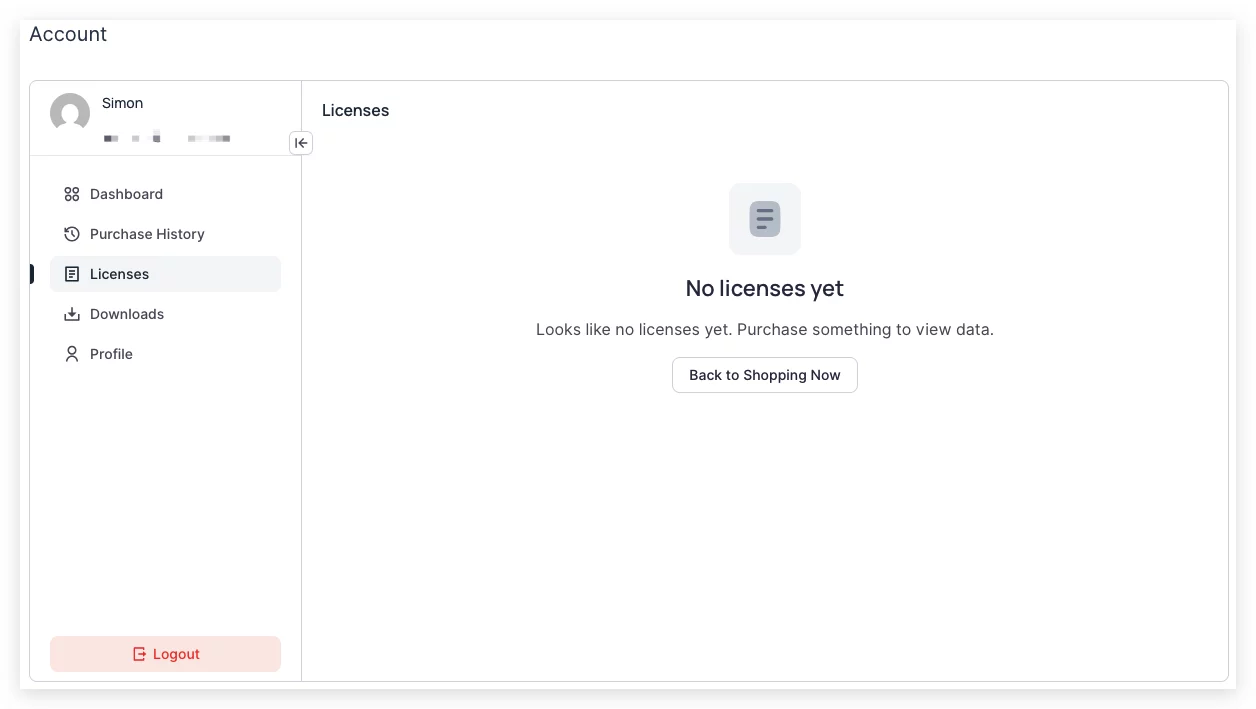
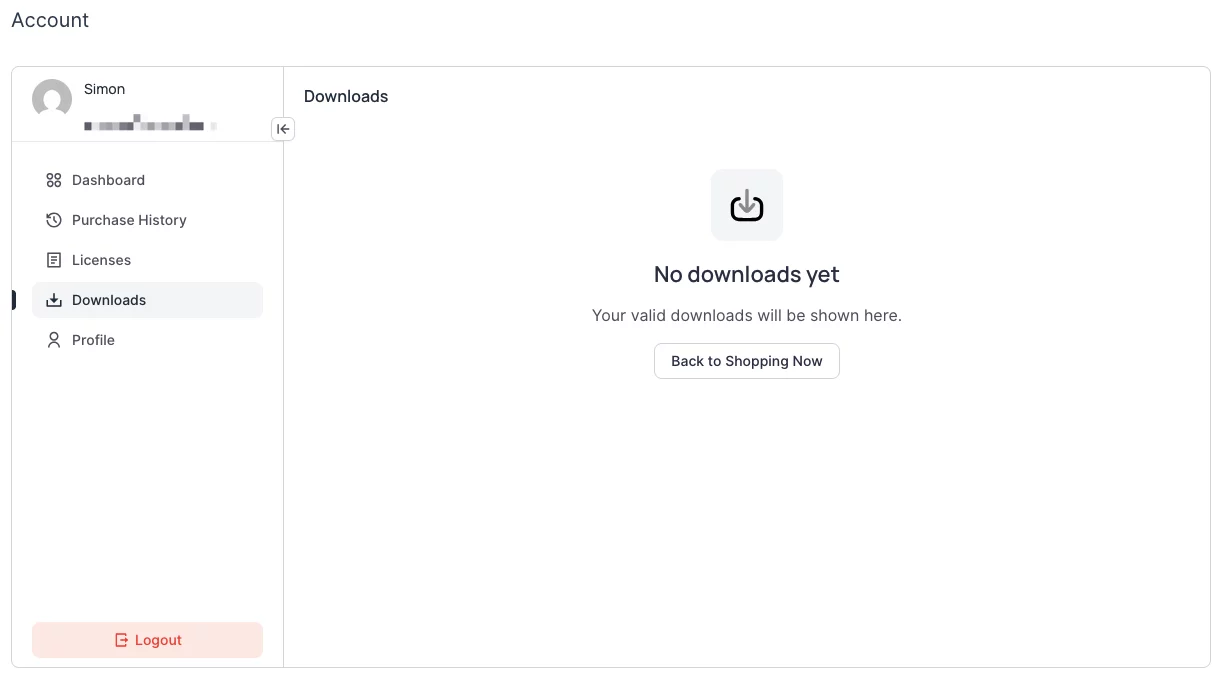
I'm a lifetime member but have no access to KrafterPro in downloads or licenses on my Dashboard. Can you please fix my account?
Thank you.

Hi everyone! I recently purchased KrafterPro, and I’m a little confused about the correct installation/setup process.
In the email I received after purchasing, there are two different links that seem to lead to two different sets of instructions:
- One link has a 10-minute video, and the download includes a plugin + a JSON file. [ https://diviuniversity.com/krafterpro-download/ ]
- The other link has a 23-minute video, and its download area has two separate JSON files — one for Templates and another for Presets & Variables. [ [https://diviuniversity.com/download-krafterpro/]](https://diviuniversity.com/download-krafterpro/)
I’m working with an existing website that was originally built in Divi 4 and has now been migrated to Divi 5.
The first time I tried setting up KrafterPro, I followed the instructions from the video that installs the plugin, but then I imported the files from the second video (the two JSON files). After doing that, my website changed quite a bit, probably because the site already had some of my own presets and variables.
Thankfully, I had a backup, so I restored the website and everything is back to normal. 😊
Before I try again, I would really like to understand the correct procedure for an existing Divi 4 → Divi 5 migrated website.
Which set of instructions/files should I be following?
Also, since my goal is eventually to use KrafterPro when updating existing customer websites, I want to make sure I understand the safest workflow when the site already has its own presets, variables, and designs.
Any guidance would be greatly appreciated. Thank you!

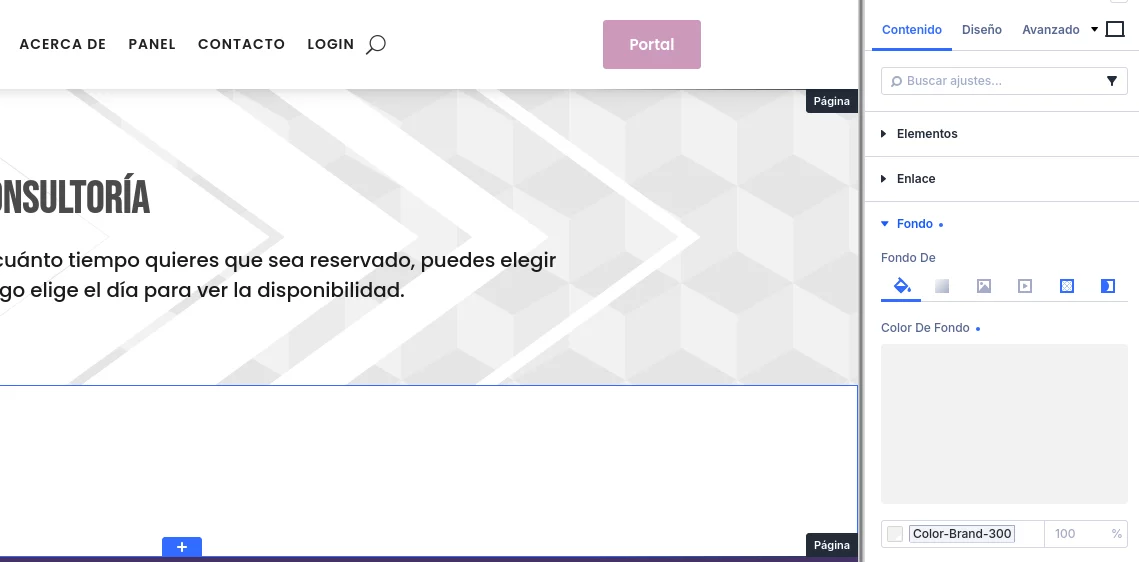
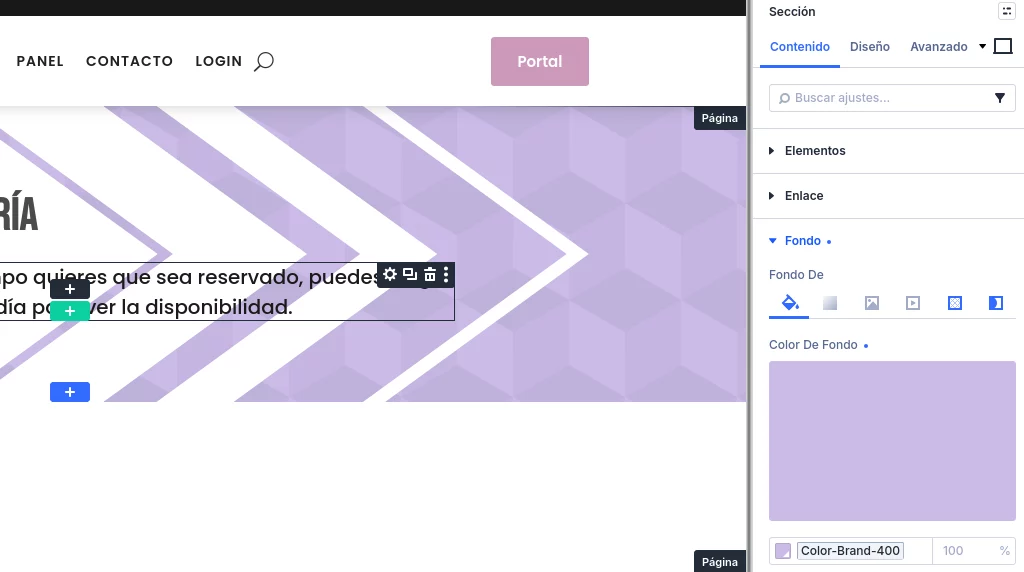
Not sure if it's a bug, but my primary color is #aa99cc and it looks fine in my Krafter Brand analysis, but when selecting the variables Color Brand 300,200 and 100, they lose color (saturation I suppose) and look grey and white, maybe it uses the neutral colors instead, not sure...look:
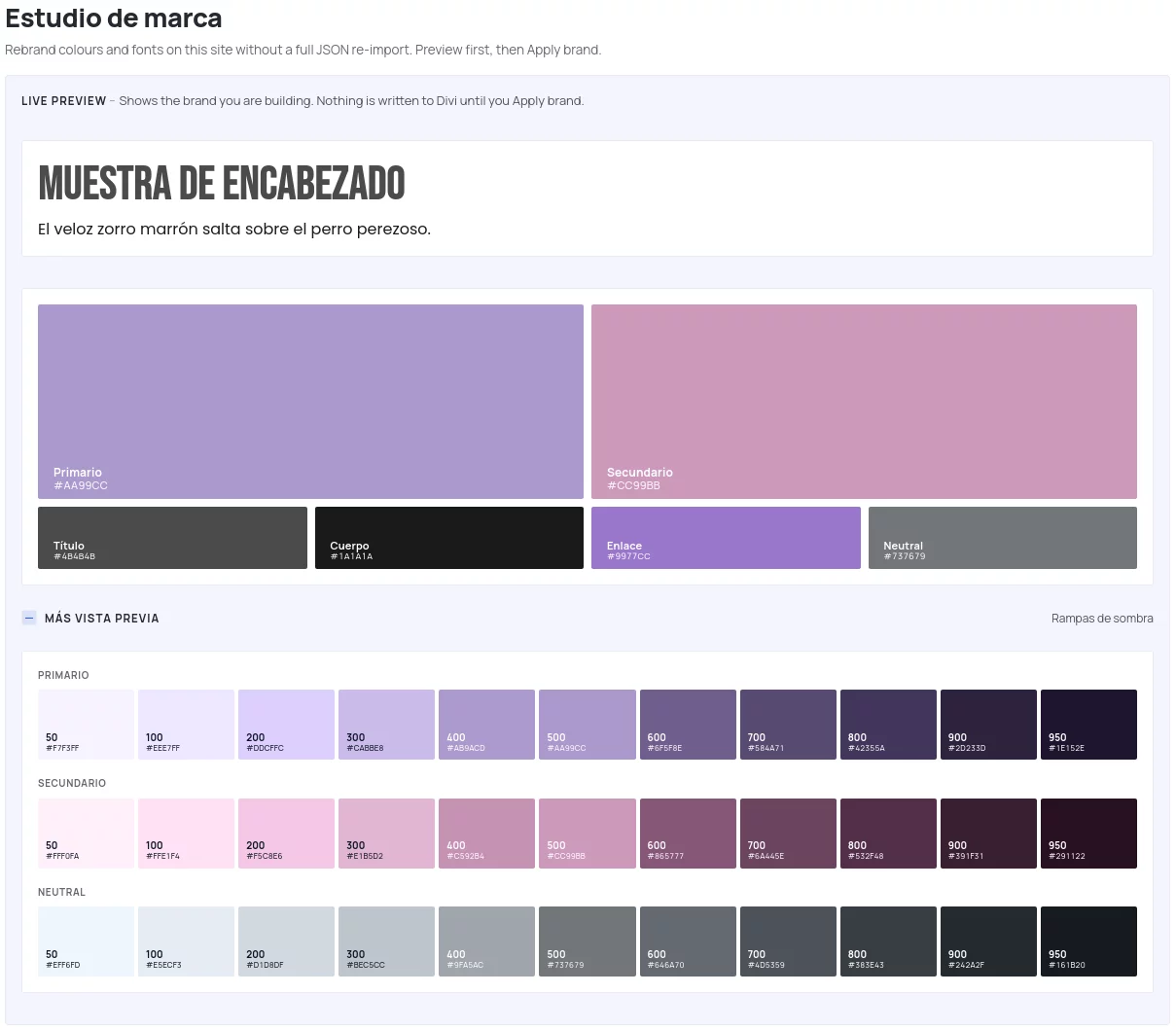
Here you can see that I've selected Color-brand-300 and its grey and also in the banner on the left...

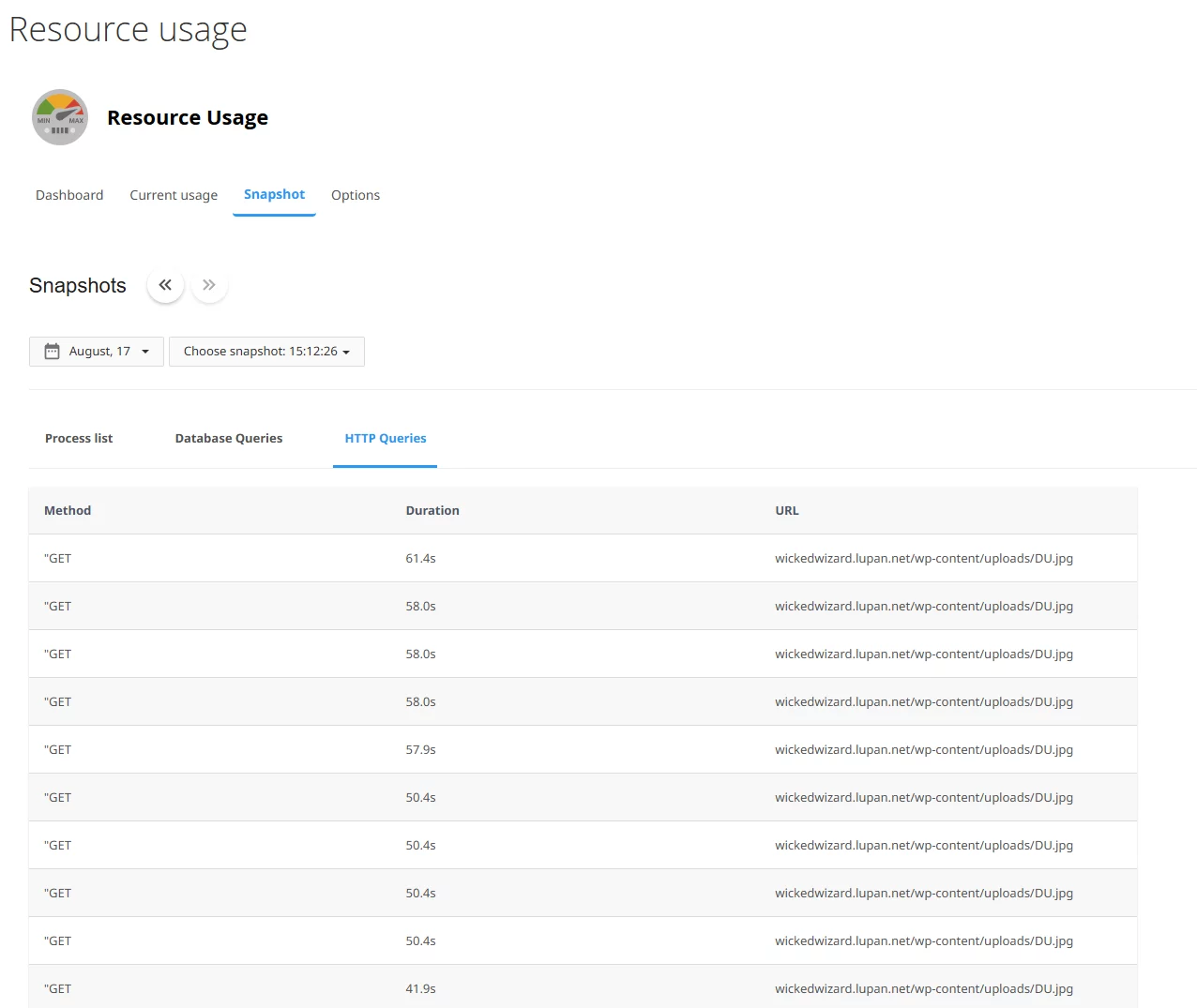
I seem to be having an issue where physical memory resources and I/O usage resources regularly reach their limit on the current host, hosting.com. This began ever since installing KrafterPro and SEEMS to be caused by endless http queries for the image du.jpg, as seen in the screenshot and confirmed by the host. This is happening especially while I'm working on a site and actually have to try to close what I'm working on and go back to it later, as all resources are used and the site won't work until the resources are released. Once they're released, I can go back to editing until the cycle happens again. Do you have any insite into this problem? Any help you can give would be greatly appreciated.

I am a lifetime-member and also KrafterPromember.
When i check my account there is nothing in it: no license, no downloads.
Where is everything gone to?
I downloaded the latest version of KrafterPro but it doesn't shown de designassist nor the KrafterPro-button.
What's wrong Mak .

I've watched Mak's videos and experiments using AI with DIVI 5 and KrafterPro. I know Elegant Themes will be adding AI to DIVI 5, I hope soon. In the meantime, what determines the AI engine Mak used? What are the best options? What are the costs associated? Why use one AI and not another?
I currently have subscriptions to Grok and Gemini. Gemini can generate a site structure, recommended content, etc... but not a visual design image. What is the best way to generate that?
I ran across bolt.new - anyone with experience with that platform?

I've watched many of the videos where the default plugin color palette is used. I'd love to see a video showing how to set up Krafter Pro when a client already has their primary brand colors. For example, would it be a manual process of changing all of the colors, or is there a way to automate it, so that the 'design health' score is good?

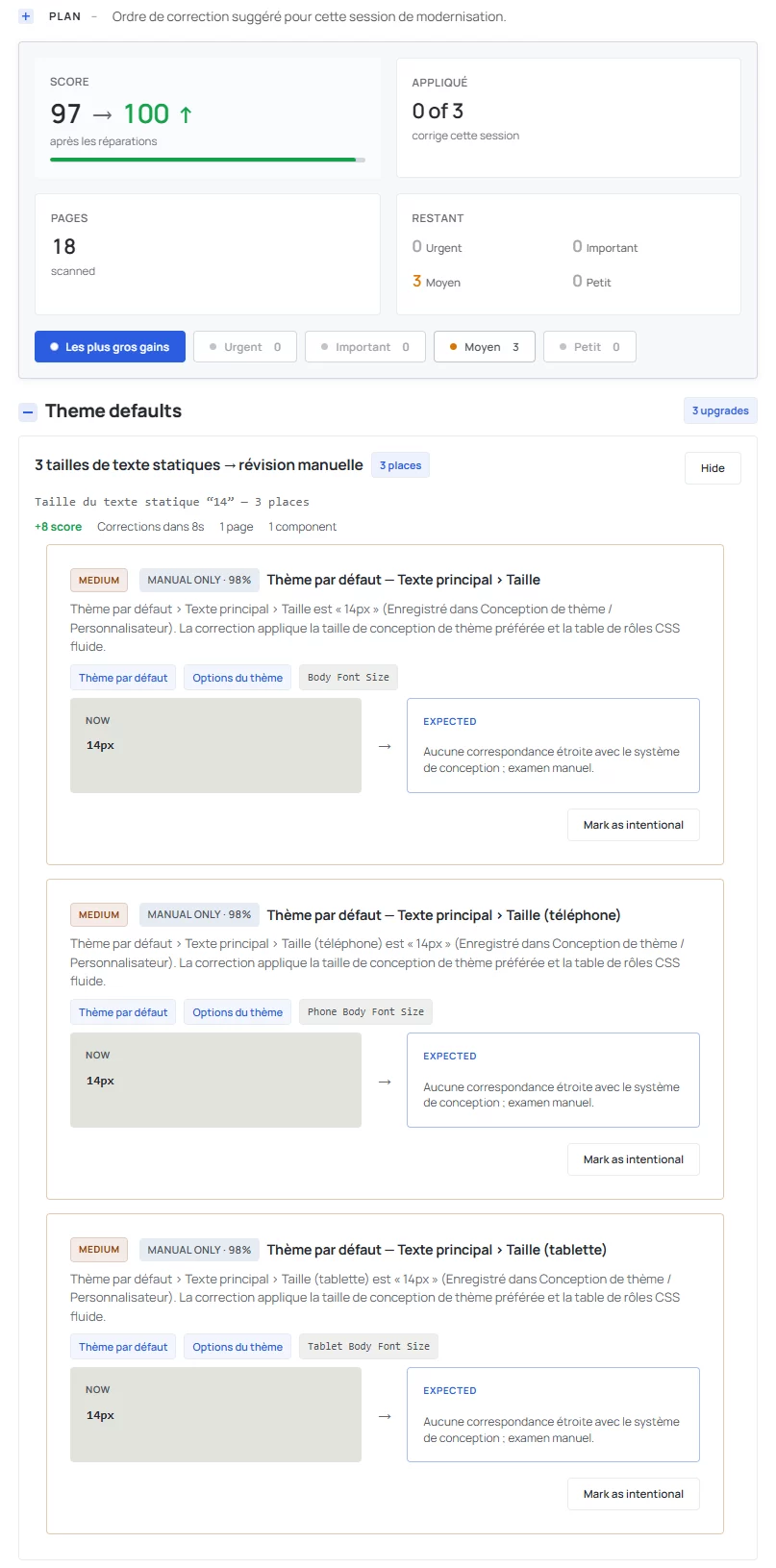
Do you have any idea where these three static text sizes are configured?
Default theme › Main text › Size is ‘14px’ (Saved in Theme Design / Customiser). This fix applies the preferred theme design size and the fluid CSS role table.