

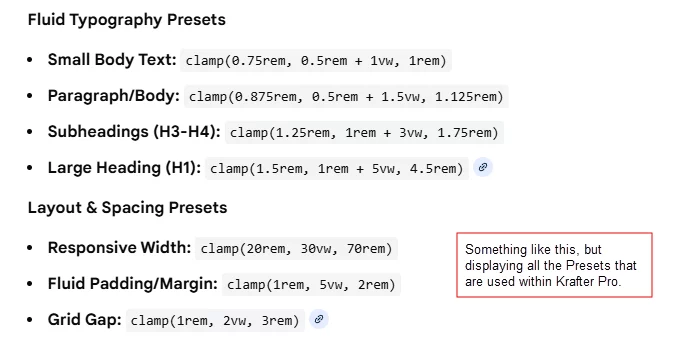
Mak Can you provide us with a complete list of all the Presets that are included in Krafter Pro?
I'm hoping you can provide us with an excel spreadsheet, or Google sheet, etc., that would provide us with a "LIST" of all of the Presets and the Clamp Values, that (if needed) we could copy and paste (and make changes to - if needed). I often find I want to change the Clamp value that you entered for text, or a heading, or a list, or for spacing, etc. And if I could just have a complete list of all of the Clamp values, and what the values are used for, would help me find what I'm looking for (quickly) and be able to create "new" Presets or change existing presets. Do you think you could provide us with a complete list of the Presets (and Clamp values) that we could use as a reference and guide? Please let me know.
If this is already available, since I'm a plus member in the community and have purchased all of your tools, please let me know where I can find this and download it.
Thanks,
Gary

Thanks for creating some great, really helpful content. Have you done anything for best practice of migrating an existing Divi 4 site to Divi 5? If not would you consider doing so? Things such as setting up variables.

Is the support working? I have posted a ticket for over 3 weeks now. SiteKrafter PRO is NOT working. It crasches. What to do?
https://drive.google.com/file/d/1zLWDWZ-KUyBrtpAYoyqdxBSRB3RvH8at/view?usp=sharing
Best, Tim

Typography in Divi 5 is completely different from Divi 4 — and if you’re still using px, em, or rem, your designs are already outdated.
In this video, I break down the professional typography workflow that modern UI/UX designers use inside Divi 5.
You’ll learn:
• Why clamp() is the only typography unit that scales correctly
• How Divi 5’s Variable Manager replaces manual font settings
• Why setting fonts in the builder creates long-term inconsistency
• How to build typography systems using tokens, presets, and fluid rules
• The exact workflow I use to create accessible, responsive, professional type across every page
If you want to skip the manual setup and use a fully engineered preset-based design system built for Divi 5, you can learn more here: 👉 KrafterPRO

Can anyone help me to get in contact with Mak. I have send support tickets emails etc.. But no reply. Signed up for Hostinger via the affiliate link, in return for having access to the design system and Divi 5. Can’t seem to get a reply to know how to access these products Thank you
The old Divi workflow is dead. If you are still styling modules one by one, you aren't just wasting time—you’re building technical debt into every client site.
Divi 5 isn't just a performance update; it’s a fundamental shift in how we build on WordPress.

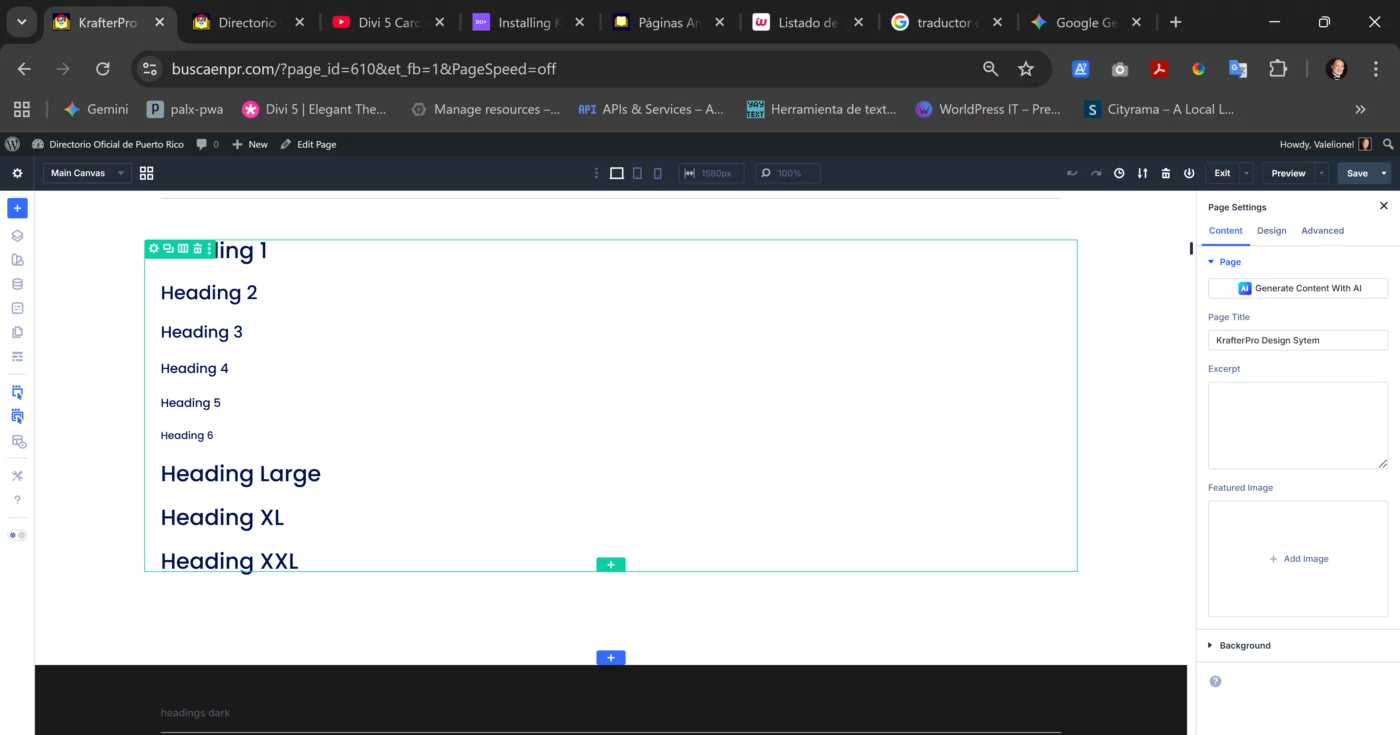
I installed the SiteKrafterPRO and it is working more or less but when trying to apply Heading L, XL, and XXL it does not change. I took a look to the variable manager and noticed that there is no change either. Can someone help me cause it seems this is a one man show and Mak takes too long to answer. I selected tis topic cause it is a required field and there is no KrafterPRO topic. Besides this; is there a link to download the latest version? because I cannot find it.
Creating a polished, responsive pricing section in Divi 5 is easier when you follow a modern, preset-driven workflow.
In this tutorial, I’ll show you how I designed a complete pricing table section using the Krafter Design System — a fluid, responsive design framework built for Divi 5.
And to help you speed up your workflow, I’m giving you the entire pricing section layout for free.
In this video, you’ll learn:
• How to structure a clean, modern pricing section in Divi 5
• How fluid spacing and responsive typography improve design quality
• How the Krafter presets keep your design consistent across breakpoints
• How to apply this workflow to any page or niche
• How to make your pricing layout truly scalable and future-proof
Download the layout here - don't forget to unzip.
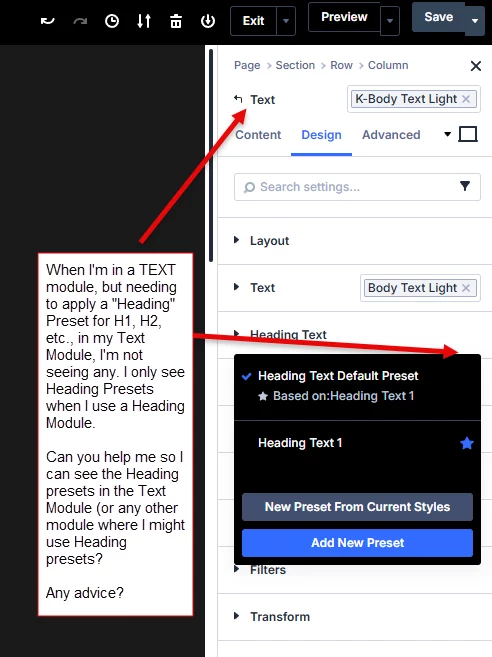
Mak I'm not seeing any Heading Presets (from Krafter Pro, or SiteKrafter Pro, etc.) when I'm in a Text module.
Any advice as to what I can do to get Header Presets to show up within a Text Module, etc., meaning not just in the Heading Module??
I also tried using SiteKrafter Pro.

Mak,
It appears that KrafterPro places the Heading presets in Title Text and Text presets in Body Text. Is this by design? It seems to introduce additional categories that are somewhat contradictory to the terminology I see in the Column Design area.